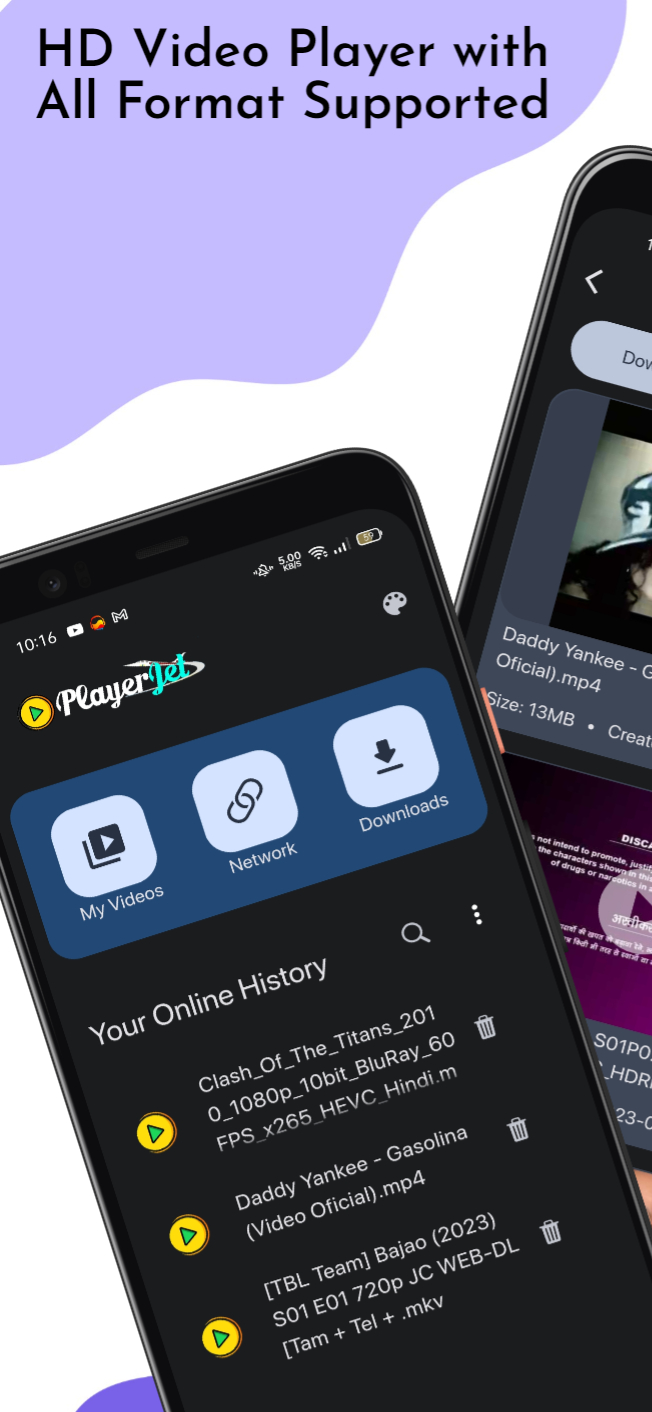
What is PlayerJet and What is it Used For?
PlayerJet is a versatile video player and download manager that provides you with the ultimate video solution. It's not just a video player; it's your all-in-one video hub. With PlayerJet, you can enjoy a wide range of features that take your video experience to the next level.
Key Features of PlayerJet:
- Seamless Compatibility: PlayerJet effortlessly handles all video formats, ensuring you can enjoy your favorite content without worrying about compatibility issues.
- Download Manager: Say goodbye to the limitations of online streaming. With PlayerJet's Download Manager, you can easily save your favorite videos for offline viewing, allowing you to watch them anytime, anywhere.
- Easy Streaming: Whether it's HLS links, Dash links, or direct videos, PlayerJet simplifies streaming. With just a few clicks, access your desired content hassle-free.
- PlayerJet Stream HLS: No advanced knowledge required! Utilize the PlayerJet Stream HLS feature to stream HLS links and dive into your preferred content effortlessly.
What Can We Do with PlayerJet?
- Enjoy Versatile Video Playback: PlayerJet offers seamless video playback with support for various video formats, ensuring you can watch your favorite videos without any compatibility issues.
- Download Videos for Offline Viewing: With the Download Manager, you can save your preferred videos for offline viewing, allowing you to enjoy them even when you don't have an internet connection.
- Stream HLS Links: Easily stream HLS links with the PlayerJet Stream HLS feature, providing a hassle-free way to access your desired content.
How to Use PlayerJet:
Using PlayerJet is straightforward:
- Step 1: Download and install PlayerJet on your device.
- Step 2: Open the app and explore its user-friendly interface.
- Step 3: Use the video player to enjoy your favorite content with ease.
- Step 4: Utilize the Download Manager to save videos for offline viewing.
PlayerJet FAQs:
- Q1: How can I resolve the issue of the app crashing when clicking on the share icon of a video in the downloads screen?
A1: To address this issue, please ensure you have the latest version of the app installed. If the problem persists, you may contact customer support for further assistance.
- Q2: Is there a risk of downloaded files being deleted during updates?
A2: PlayerJet does not delete downloaded files during updates. If you've encountered such an issue, please reach out to the app's support team for help.
- Q3: How do I prevent download files from being automatically deleted within three days?
A3: To avoid automatic deletion of download files, please check the app's settings and ensure that files are not set to auto-delete after a certain period. Consult the app's documentation for specific instructions.
Download and Run PlayerJet on PC with LDPlayer:
If you prefer to enjoy PlayerJet on your PC for a larger screen experience and smoother performance, follow these steps to download and run it using the LDPlayer Android emulator:
- Download and install LDPlayer from the official website on your PC.
- Launch LDPlayer and access the Google Play Store within the emulator.
- Search for "PlayerJet" in the Play Store and click "Install" to download the app.
- After installation, launch PlayerJet within LDPlayer, and you can start enjoying your videos on your computer.
Experience the future of video playback with PlayerJet – where simplicity meets versatility!
Free Alternatives to PlayerJet:
- VLC Media Player: VLC is a free and open-source multimedia player that supports a wide range of video formats and offers advanced playback features.
- KMPlayer: KMPlayer is a free multimedia player known for its flexibility and support for various codecs and formats.
- PotPlayer: PotPlayer is a feature-rich multimedia player with a user-friendly interface, offering advanced playback options.