Home/

Games/

Simulation/

Security Nuclear

Security Nuclear
4.05+

Security Nuclear

Nuclear Power Plant Doorman: Decide who enters while dealing with strange events

Play on PC with LDPlayer
recommend
Fatos Reais
How to Download&Play Security Nuclear on PC?
Last Updated: 2024-09-03
com.RealFacts.SecurityNuclear
Share:
  • Overview

  • FAQ

Use LDPlayer to Play Security Nuclear on PC

Security Nuclear is a Simulation application developed by Fatos Reais, but with the best Android emulator-LDPlayer, you can download and play Security Nuclear on your computer.

Running Security Nuclear on your computer allows you to browse clearly on a large screen, and controlling the application with a mouse and keyboard is much faster than using touchscreen, all while never having to worry about device battery issues.

With multi-instance and synchronization features, you can even run multiple applications and accounts on your PC.

And file sharing makes sharing images, videos, and files incredibly easy.

Download Security Nuclear and run it on your PC. Enjoy the large screen and high-definition quality on your PC!

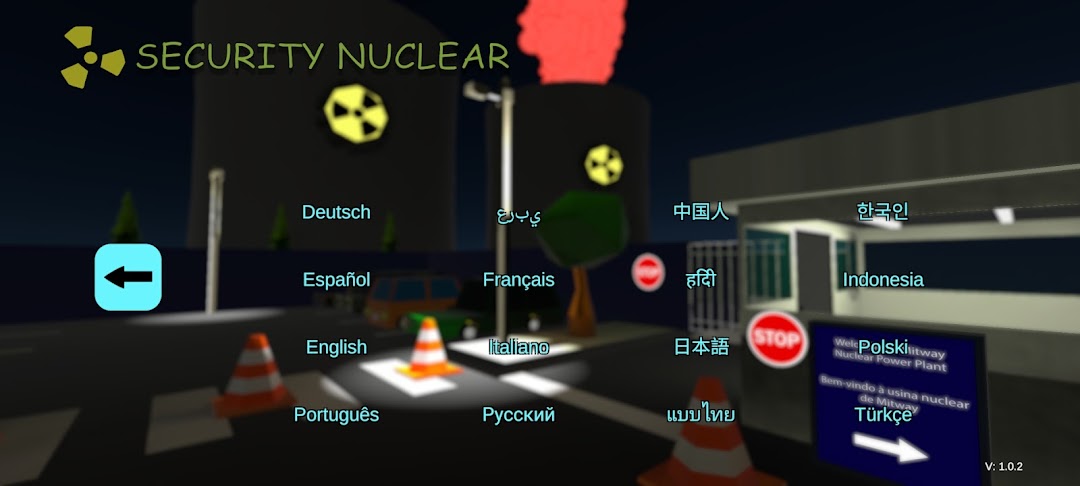
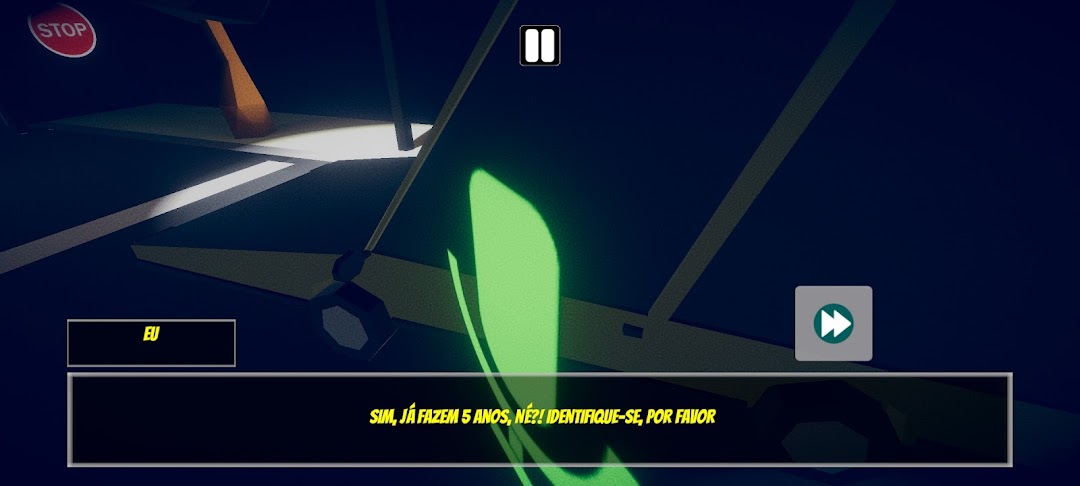
Security Nuclear is an immersive first-person simulator that puts you in the role of a gatekeeper at a nuclear power plant. Its function is simple: control vehicle entry based on dialogues and registered license plates. But things start to get complicated when strange and dangerous events start to occur around them.

As the radiation emitted by the plant increases, it attracts the attention of international powers and triggers phenomena such as acid rain. Furthermore, you will have to deal with a dark secret: an accident at the factory that resulted in the death of seven employees and which the management tries to hide at any cost. Will you be able to keep everything under control as the tension rises?

Key Features:

Immersive Story: Make critical decisions that affect the course of events and lead to one of 6 possible endings.
Dubbed dialogue: Interact with characters in English or Brazilian Portuguese, with voiceovers that bring the story to life.
Total Immersion: Use your flashlight to explore, read the daily newspaper, check your notes and communicate with the boss via radio.
Adjustable post-processing: Control how the game looks and performs on your device.
Strategic Challenges: Take orders from the boss, deal with curious reporters and the police, while trying to keep the factory's secrets.
Multilingual: Available in 16 languages ​​- Arabic, Traditional Chinese, English, French, German, Hindi, Indonesian, Italian, Japanese, Korean, Polish, Brazilian Portuguese, Russian, Spanish, Thai and Turkish - ensuring an accessible and global experience.
Security Nuclear offers a unique experience where your choices determine the fate of the plant and reveal or hide the truth behind bizarre events.

Get in touch: For support or feedback, email secnuclear.suporte@gmail.com.
Open up

Screenshots and Videos of Security Nuclear PC

Experience a wider field of view, exquisite game graphics, and cooler combat skills and effects by downloading and playing Security Nuclear on PC with LDPlayer. Enjoy the ultimate gaming experience with LDPlayer.

Why Play Security Nuclear on PC with LDPlayer?

LDPlayer offers unique emulator features including multi-instance support, macros, operation recorder, and other functions not available on mobile devices.

Multi-Instance & Sync

Remote Control

Custom Controls

Multi-Instance & SyncRemote ControlCustom Controls

Effortlessly clone multiple instances and initiate synchronization until you draw the desired hero before binding your account, enhancing efficiency in rerolls in Security Nuclear.

  • High FPS

    With support for high FPS, Security Nuclear's game graphics are smoother, and actions are more seamless, enhancing the visual experience and immersion of playing Security Nuclear.
  • Video Recorder

    Easily capture your performance and gameplay process in Security Nuclear, aiding in learning and improving driving techniques, or sharing gaming experiences and achievements with other players.

How to Download&Play Security Nuclear on PC?

  • 1

    Download and install LDPlayer on your computer

  • 2

    Locate the Play Store in LDPlayer's system apps, launch it, and sign in to your Google account

  • 3

    Enter "Security Nuclear" into the search bar and search for it

  • 4

    Choose and install Security Nuclear from the search results

  • 5

    Once the download and installation are complete, return to the LDPlayer home screen

  • 6

    Click on the game icon on the LDPlayer home screen to start enjoying the exciting game