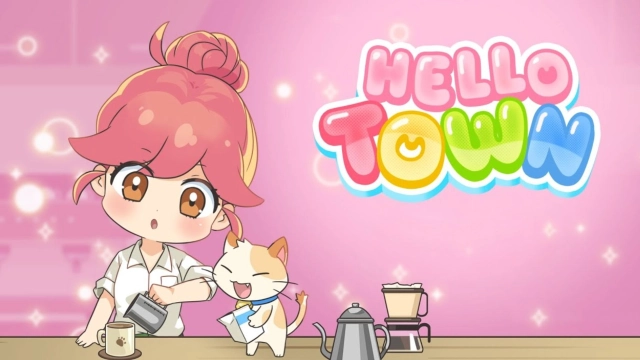
Hello Town: Merge & Story is a Puzzle application developed by Springcomes, but with the best Android emulator-LDPlayer, you can download and play Hello Town: Merge & Story on your computer.
Running Hello Town: Merge & Story on your computer allows you to browse clearly on a large screen, and controlling the application with a mouse and keyboard is much faster than using touchscreen, all while never having to worry about device battery issues.
With multi-instance and synchronization features, you can even run multiple applications and accounts on your PC.
And file sharing makes sharing images, videos, and files incredibly easy.
Download Hello Town: Merge & Story and run it on your PC. Enjoy the large screen and high-definition quality on your PC!
Jisoo just landed her first job at a real estate company. She shows up for day one full of big dreams — only to find a rundown, shabby old building waiting for her. Now it's up to Jisoo and you to bring it back to life!Merge bread, coffee, and fruit to fill customer orders, then use your earnings to remodel the worn-out shops one by one. Move new stores into the empty building, decorate each one, and grow it into a lively shopping plaza.
Start with a single small shop, grow the whole building, and turn the company into a first-class enterprise. Help Jisoo rise all the way from new hire to the executive's chair!
🍰 Merge & Fill Orders
Combine matching bread, coffee, and fruit to upgrade them into higher-tier items. Complete all kinds of customer orders through merge puzzles and earn generous rewards. The more you play, the more items and menus you'll unlock!
🔧 Repair & Decorate Your Shops
Use your earnings to fix up the old shops and decorate them just the way you like. Raise an adorable cat, complete decorating missions, and level up along the way.
👩🦰 Open New Shops & Expand the Building
Open new stores in the empty spaces to welcome even more customers. Hire managers to boost your profits, and watch your building grow bigger and bigger!
🎖️ Compete with Players Worldwide
National rankings unlock at Level 15, and world rankings at Level 25. Go beyond your home country to test your skills against players around the globe — and aim for the top spot as the world's best merge player!
✨ No Ad Pressure, Playable Offline!
Enjoy it anytime, anywhere — no internet connection needed. A laid-back yet immersive merge puzzle game you can even play on a plane!
If you love merging and remodeling, Hello Town is a casual merge game anyone can fall for. Team up with Jisoo and turn that old building into the best plaza in town!
Questions? Reach us at help@spcomes.com