
Wheels
Do you know how fast your abstract thinking is or how good your math skills are?

Overview

FAQ
Use LDPlayer to Play Wheels on PC
Wheels is a Educational application developed by Microsys Com Ltd., but with the best Android emulator-LDPlayer, you can download and play Wheels on your computer.
Running Wheels on your computer allows you to browse clearly on a large screen, and controlling the application with a mouse and keyboard is much faster than using touchscreen, all while never having to worry about device battery issues.
With multi-instance and synchronization features, you can even run multiple applications and accounts on your PC.
And file sharing makes sharing images, videos, and files incredibly easy.
Download Wheels and run it on your PC. Enjoy the large screen and high-definition quality on your PC!
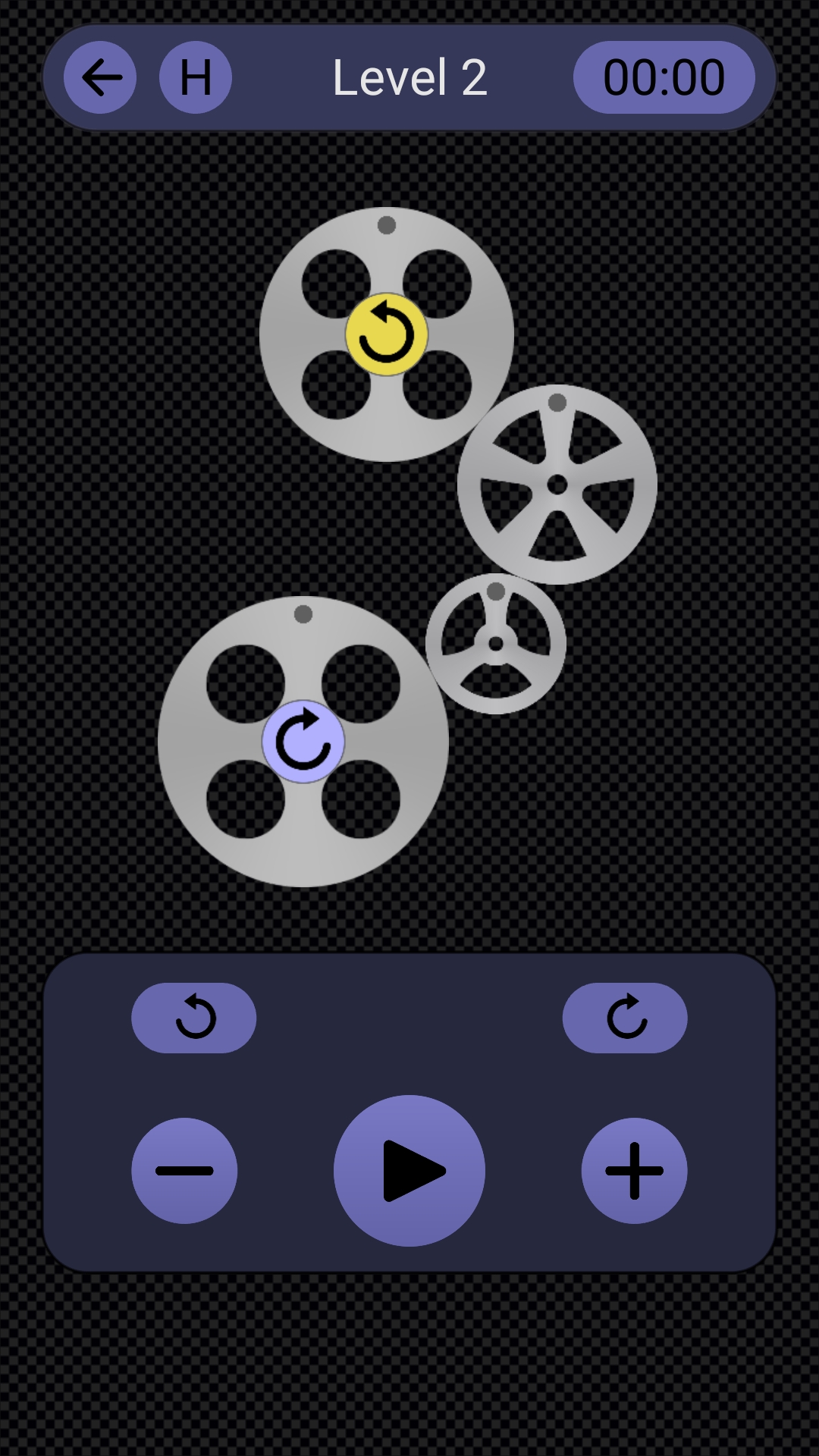
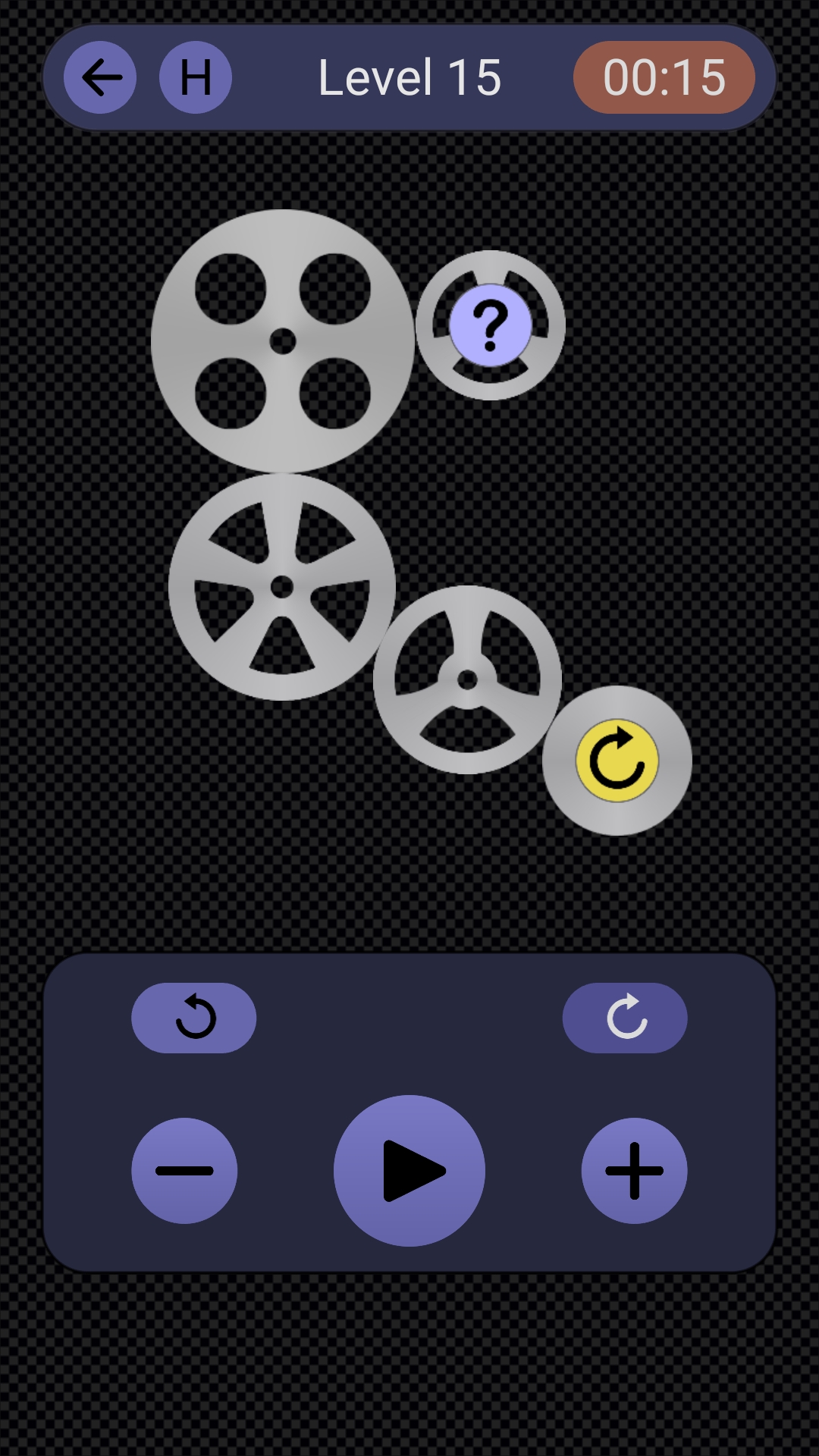
Welcome to Wheels! 60 levels to play, and every one of them features a different set of wheels that are connected together and transmit the rotational motion to each other. You will be challenged to find out various attributes related to their motion, such as the direction of rotation, the gear ratios, or the diameter of some wheels. Be aware that there are several level types, with different objectives, so pay attention to their specific descriptions. Each level offers two or three answers to choose from, but only one of them is correct! You may tap the Help button at any moment to see what the specific goal of the current level is. Here is a short description for each level type:Direction: the objective of this level type is very simple - you have to figure out the direction in which the driven wheel will rotate, clockwise or counter-clockwise. Keep in mind that the adjacent gears always rotate in opposite directions. As you know which way the input gear rotates, all you have to do is to imagine how the motion propagates through the gear train and tap the appropriate button to answer.
Ratios: the objective of this level type is to correctly estimate the gear train ratios. As you may already know, a gear ratio is the ratio of the number of rotations of a driver gear to that of a driven gear. For a gear pair, this is equal to the ratio between the diameters of the driven and driver gears. And a gear train is nothing else than a bunch of gear pairs, so simply multiply all these gear ratios to obtain the global value.
Spinning: the objective of these levels is to determine if the red-colored wheel can properly spin in the gear train, and, if it does, in which way. As the directions in which the input and output gears rotate are both known, you only have to carefully analyze how the motion is transmitted to the red wheel.
Equal Ratio: the objective of these levels is to correctly estimate the diameter of the marked gear, knowing this time that the gear train ratio is 1:1 (equal). This is somehow similar to the Ratio levels, but now the result is given, also the formula and all diameters except for one.
Estimation: the objective of these levels is to correctly calculate the gear train ratio, the required wheel diameters being known, all except for one wheel. This is somehow similar to the Ratio levels, but now you have to visually estimate the diameter of the marked wheel. Considering this diameter, calculate the ratio and then select the appropriate button to answer.
Rotations: the objective of the this level type is to correctly determine the number of full rotations the driver gear has to make until all the wheels align again in their initial position. This is somehow similar to the Ratios levels, but now you have to take into consideration the ratio of each gear pair. Calculate this minimum number of turns, select its corresponding button and then tap Spin to start the rotational motion and see if the number was correctly determined.
The game's final score is displayed when level 60 is complete, and your possible ranks are as follows:
0..1000 points: Novice player
1001..1500 points: Master player
1501..1999 points: Expert player
2000 points: Legend player
Global features:
-- intuitive, easy to use interface
-- 40 levels to play for free, no ads
-- in-app purchase for 20 more levels
-- text to speech and sound effects
-- no permissions required
-- this app keeps the phone's screen ON
Screenshots and Videos of Wheels PC


Why Play Wheels on PC with LDPlayer?
 Multi-Instance & Sync
 Remote Control
 Custom Controls




Effortlessly clone multiple instances and initiate synchronization until you draw the desired hero before binding your account, enhancing efficiency in rerolls in Wheels.

High FPS
With support for high FPS, Wheels's game graphics are smoother, and actions are more seamless, enhancing the visual experience and immersion of playing Wheels.
Video Recorder
Easily capture your performance and gameplay process in Wheels, aiding in learning and improving driving techniques, or sharing gaming experiences and achievements with other players.
How to Download&Play Wheels on PC?
 1
1Download and install LDPlayer on your computer
 2
2Locate the Play Store in LDPlayer's system apps, launch it, and sign in to your Google account
 3
3Enter "Wheels" into the search bar and search for it
 4
4Choose and install Wheels from the search results
 5
5Once the download and installation are complete, return to the LDPlayer home screen
 6
6Click on the game icon on the LDPlayer home screen to start enjoying the exciting game


