Looking for free Cash in Roblox Wheelie Life? The latest November 2026 codes can give you an instant boost without spending Robux. Use the rewards to improve your ride, customize your vehicle, and get back on the road faster.
This guide lists the currently active Wheelie Life codes, explains how to redeem them, and includes practical tips for avoiding common code errors.

Working Wheelie Life Codes
The following codes are currently reported as active in November 2026:
|
Code |
Reward |
|---|---|
NEWTRAIN |
500 Cash |
BEACHHIGHWAY |
500 Cash |
PALMBEACH |
500 Cash |
Redeeming all three codes gives you 1,500 Cash in total.
Enter the codes exactly as shown. Although some Roblox games ignore capitalization, using the published format reduces the chance of an error.
How to Redeem Wheelie Life Codes
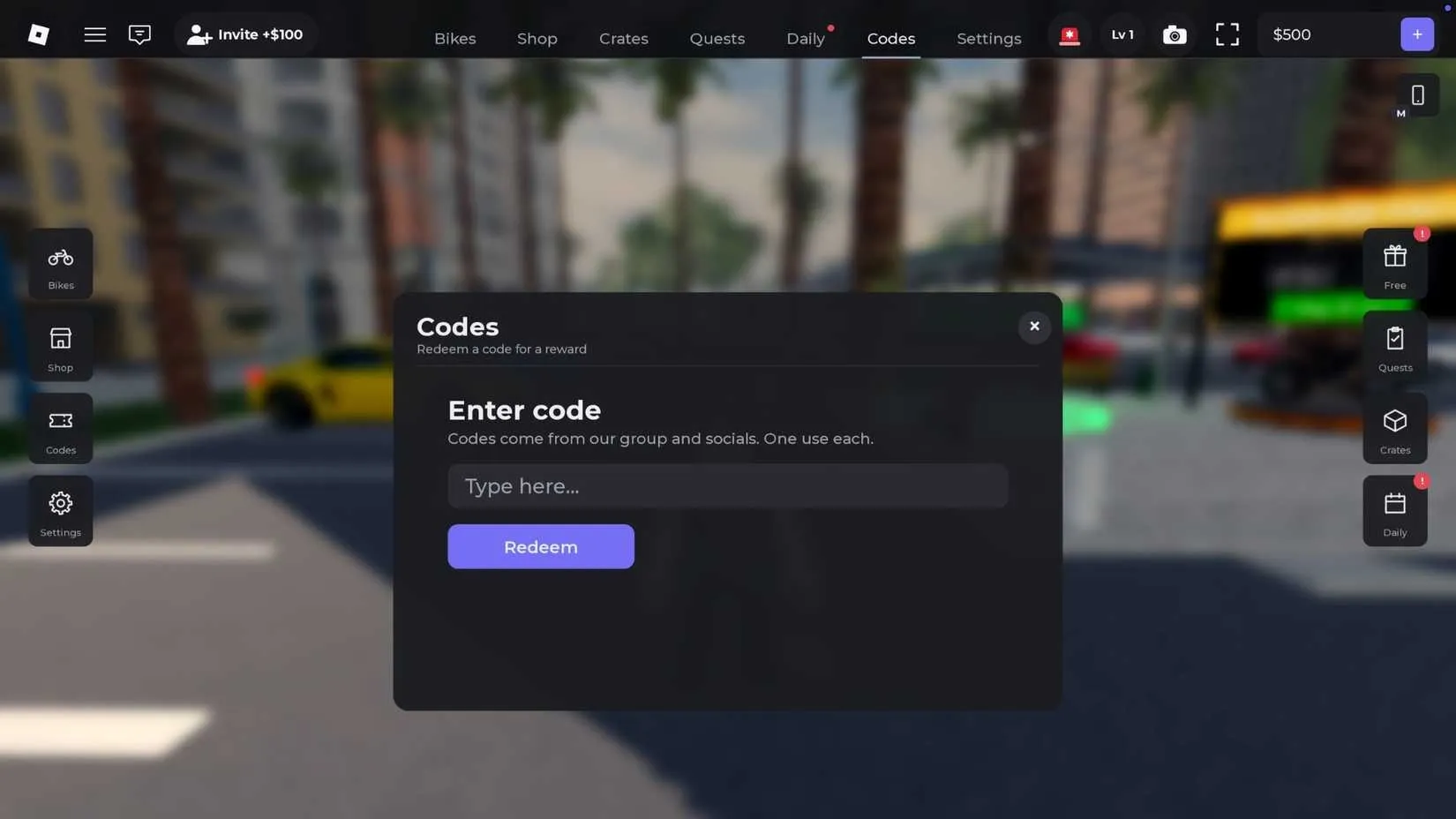
Follow these steps to claim your rewards:
- Launch Wheelie Life on Roblox.
- Enter the game and wait for your character to load.
- Select the Codes button on the left side of the screen. Depending on the interface version, it may also appear in the top menu.
- Type or paste an active code into the redemption box.
- Select Redeem.
- Check your Cash balance to confirm the reward.
If the code works, the Cash should be added to your account immediately.
What Can You Buy With Wheelie Life Cash?
Cash is the main in-game currency used for improving your experience in Wheelie Life. Depending on the current game version, you can use it for vehicle-related upgrades and customization.
Possible uses include:
- Buying or upgrading vehicles
- Improving your ride’s appearance
- Unlocking customization options
- Preparing for longer wheelie runs
- Testing different vehicle setups
The best way to spend your first 1,500 Cash depends on your playstyle. New players may benefit from improving their main vehicle, while experienced players may prefer saving for a specific customization or upgrade.


How to Find New Wheelie Life Codes
New codes are usually connected to updates, milestones, events, or community announcements.
To find future rewards quickly:
- Check the game’s Roblox description.
- Watch for update announcements from the developers.
- Look for a new Codes button or event menu after major patches.
- Recheck the game after an event begins.
- Confirm that a code belongs to Wheelie Life before entering it.
Be careful with code lists that mix Wheelie Life with other Roblox driving games. A code from another experience will not work in Wheelie Life.
Tips for Making More Cash Without Codes
Codes provide a quick boost, but regular gameplay is still the best way to build your balance.
Practice Longer Wheelie Runs
Improving your balance and keeping the wheelie active for longer can help you progress more efficiently. Choose an open area while practicing so you can focus on control.
Learn the Map
Familiar routes make it easier to avoid obstacles and maintain momentum. Test different roads to find areas that suit your vehicle and driving style.
Spend Carefully
Avoid using all your Cash on small cosmetic purchases if you are still saving for a larger upgrade. Decide what you want to unlock before spending your rewards.
Play During Events
Limited-time updates may introduce extra activities or bonuses. Check the game whenever a new event or seasonal update appears.
If you want to get more exclusive gift codes, please visit LDStore Embedded in LDPlayer where you can find more exclusive redemption codes, here are the steps:
Step1: Free download LDPlayer on official website
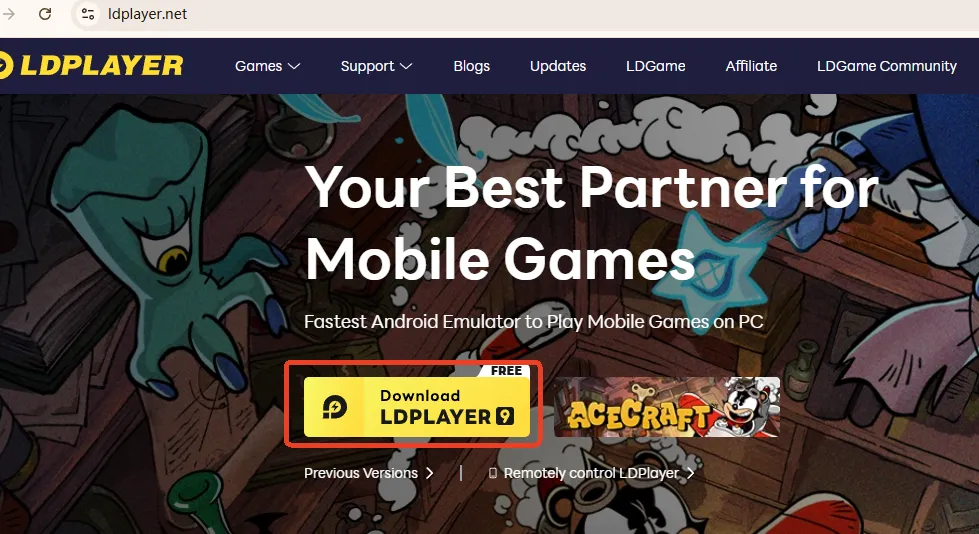
Step2: Launch LD Store
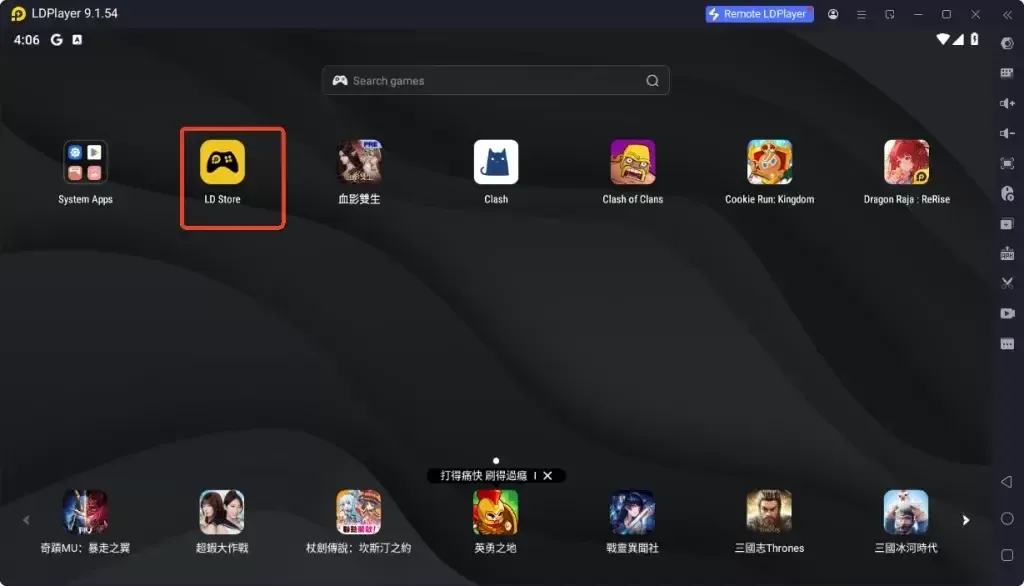
Step3: Search the game you want to find gift codes for it
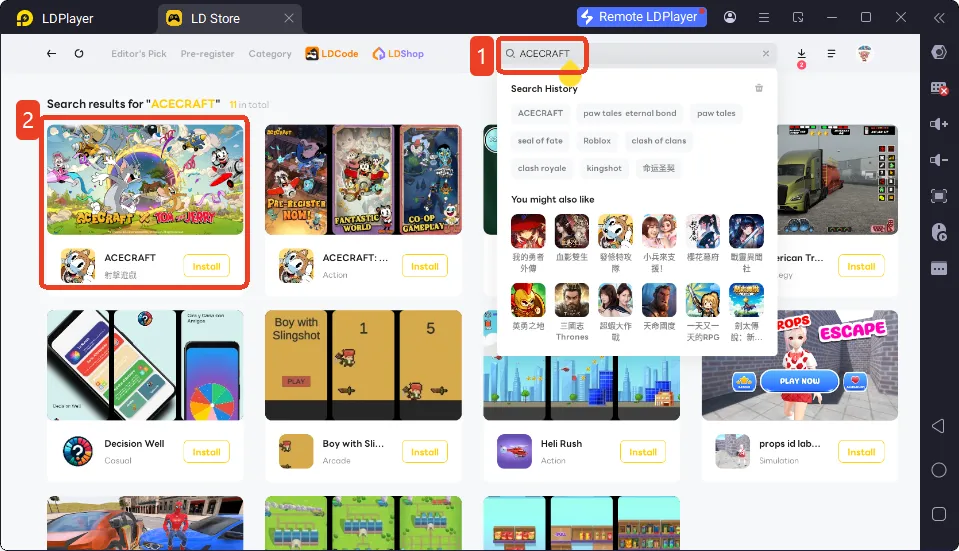
Step4: Click the game in the search results and enter the download page
Step5: All codes for the game are listed there, claim them