Ghost Driver is one of the most thrilling Roblox driving experiences specifically designed for players who enjoy high-speed challenges. However, for beginners, the game might feel a bit challenging at the beginning. Driving too fast can easily lead to collisions, and poor vehicle control can hinder your ability to earn enough cash for upgrades.
Whether you're playing on PC, mobile, or console, this guide will help you master the game faster and avoid costly beginner mistakes.
What is Ghost Driver?
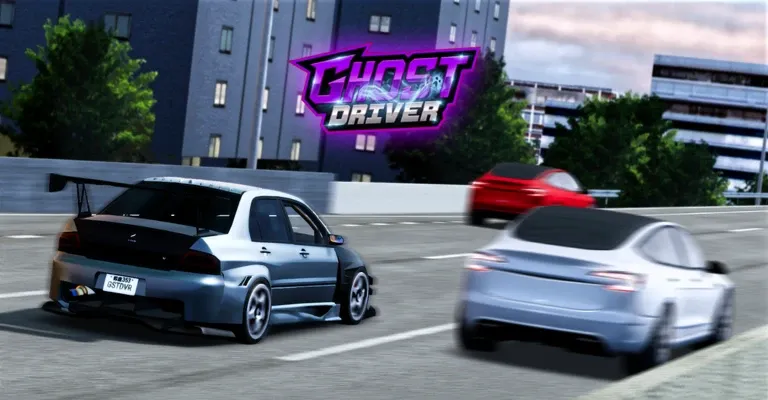
Ghost Driver is a popular Roblox driving game. Players take control of vehicles, complete missions, and unlock powerful upgrades. The game features:
- Cars with unique abilities
- Drift-based driving mechanics
- Currency systems
- Missions, races, and exploration
- Progressive vehicle upgrades
- Multiplayer elements in some versions
The game's unique blend of racing and ghost-themed powers has made it a favorite among Roblox players looking for something different from standard driving simulators.
Ghost Driver Basic Controls & Camera Setup
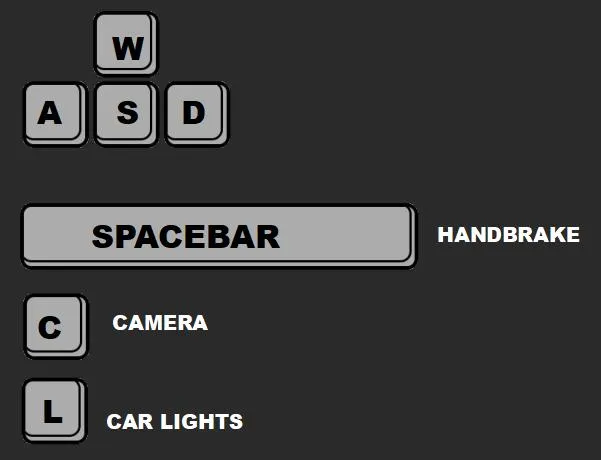
The official description within the game is a high-speed racing game that has confirmed the PC operation control method. Before attempting a high-speed sprint, beginners should first understand the basic operations.
PC Controls (Keyboard & Mouse)
- W, A, S, D or Arrow Keys to Drive
- V to Change Camera / First Person
- Shift to Handbrake / Drift
- L for Headlights
Master the Camera System
Camera settings strongly affect your driving performance.Ghost Driver allows players to switch views using the V key.
Third-Person Camera
Best for beginners
✔ Better road visibility
✔ Easier traffic prediction
✔ Easier lane switching
First-Person Camera
Best for experienced players
✔ More immersive
✔ Better speed feeling
✔ More precise movement
Environmental Effects
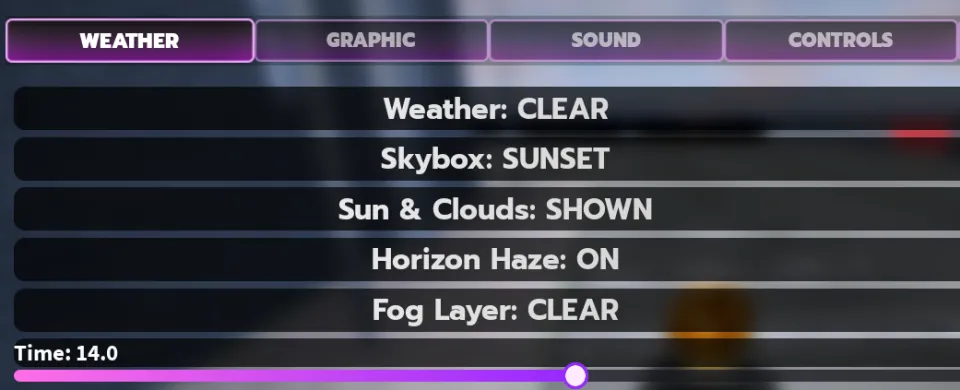
Ghost Driver features a dynamic weather system. Rain is particularly detailed – puddles form on the asphalt, water droplets appear on the windscreen, and the wipers actually clear them (with realistic sound effects). Wet roads significantly reduce grip, so your driving style must adapt.
|
Weather Condition |
Visual Cues |
Handling Impact |
|
Clear/Sunset |
Golden hour lighting, high visibility |
Maximum grip; best for speed runs |
|
Night |
Dark environment, glowing tail lights |
Requires focus; harder to spot traffic |
|
Rain |
Puddles, windshield droplets |
High hydroplaning risk; drifting is easier |
|
Galaxy Skybox |
Purple/Blue stylized sky |
Purely aesthetic; no handling change |
Ghost Driver Drift Guide
The drift function enables players to quickly avoid obstacles during the game, make sharper turns, and accurately position themselves.
Press: Shift + Steering
The following situations should be avoided when using the drift function:
- Constant drifting
- Using drift on a straight road
- Losing control over the style points
Add the handbrake safely
Treat Shift as a deliberate rotation tool. Approach open road at manageable speed, steer gently, tap or hold Shift briefly, release, and straighten. Different cars and tunes can respond differently, so there is no supported universal press duration.
Do not handbrake every lane change. A normal smooth input is usually more predictable. Practice drifting only after ordinary placement is reliable.
Avoid Holding Acceleration Constantly
Many new players immediately press W and never release it.This often causes:
- Losing control
- Missing safe gaps
- Crashing into traffic
Instead:
- Adjust speed based on traffic
- Slow down before dangerous areas
- Accelerate when the road is clear
LDPlayer: The Best Android Emulator to Play Roblox Ghost Driver on PC!!!
Ghost Driver Progression Guide
Progression in Ghost Driver focuses on improving your vehicle and driving performance.
Step 1: Improve Driving Skills First
Before playing Ghost Driver, make sure you are proficient in the steering and braking functions, as well as properly set up the control keys, camera, etc. A skilled driver with a solid foundation in driving skills may perform better than a fast but inexperienced player.
Step 2: Earn Rewards Efficiently
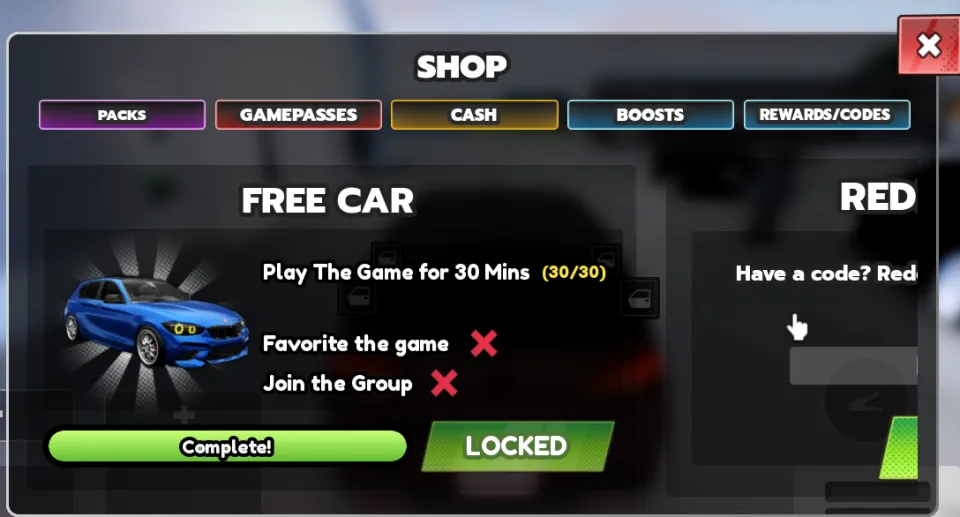
When you first enter the game, you will receive an entry-level racing car. However, compared to other professional players, many of your functions are not available. There are indeed ways to improve your vehicle. You can earn money quickly and enhance your vehicle through the following channels.
- At the very beginning, you can obtain rewards for free by joining the developer group, liking the game, collecting the game items, and spending 30 minutes in the game.
- The core mechanism of the game economy is the "drift" system, which accumulates the combo multiplier and can eventually reach an astonishing value.
|
Multiplier Level |
Difficulty |
Estimated Earnings Bonus |
|
1x - 10x |
Beginner |
Base Earnings |
|
11x - 50x |
Intermediate |
2x Cash Flow |
|
51x - 150x |
Advanced |
5x Cash Flow |
|
151x - 200x+ |
Pro |
Massive Bonus Payouts |
- Quests and Daily Objectives
|
Quest Category Quest |
Example Objective |
Typical Reward |
|
Speed Mastery |
Maintain 200+ MPH for 30 seconds |
$750 - $1,000 |
|
Distance |
Drive a total of 10,000 studs |
$500 - $800 |
|
Precision |
Perform 50 Swerves in one life |
$1,200 |
|
Weekly Challenge |
Complete 10 Daily Quests |
$5,000 + Bonus Items |
Step 3: Upgrade Your Vehicle
When upgrading your vehicle, you should always prioritize Control/Handling over top speed and brakes.
|
Upgrade Stat |
Priority Level |
Cost-to-Benefit Ratio |
Earning Impact |
|
Control / Handling |
Tier 1 |
Excellent |
Allows for tighter swerves, preventing combo-breaking crashes |
|
Top Speed |
Tier 2 |
Good |
Increases the baseline cash generation rate per second. |
|
Acceleration |
Tier 3 |
Moderate |
Helps you get back up to speed quickly after a wall scrape. |
|
Brakes |
Tier4 |
Poor |
Unnecessary if you rely on swerving and wall scraping. |
Beginner mistakes and recovery
|
Problem |
Solution |
|
Car gets stuck or flips over |
Press R to reset the vehicle. |
|
Keys don’t respond |
Close chat/menu, make sure the game window is active, and wait for loading to finish. |
|
Frequent crashes on hard levels |
Slow down; identify a clear exit path before moving. |
|
Drift turns into a spin‑out |
Shorten the Shift press; reduce entry speed; steer earlier. |
|
Cash disappears on weak upgrades |
Check full prices before buying; keep a reserve. |
|
Guide values seem outdated |
Always rely on in‑game prices, rewards, and UI – third‑party info may be stale. |
Frequently Asked Questions
- Can I get vehicle for free?
Currently, the only free car is the starter Wulfbrecht RZ7. Limited‑time events may give out cosmetic skins, but they do not affect performance.
- What is the best car for beginners in Ghost Driver?
Models like the Golf GTI or Mitsubishi Lancer Evo offer a great balance of speed and stability, making them ideal for learning to drift.
- My car slides too much – how do I fix it?
Check the Traction Control setting in the options menu. Turning it on reduces over‑steer and helps you stay straight in heavy traffic – perfect while you are still learning.


Conclusion
Ghost Driver stands out among Roblox racing games for its unique blend of driving physics and
ghost‑themed abilities. The progression system is satisfying, and the weather effects add real strategic depth.
To succeed, remember the three golden rules:
- Master your controls before spending on upgrades.
- Keep your combo multiplier alive – smooth driving pays.
- Upgrade handling first – it gives you the best return on investment.
Take your time, practise in safe areas, and soon you’ll be weaving through traffic like a true ghost driver. Good luck and have fun!