GoStream is a Productivity application developed by VIREF COMPANY LIMITED, but with the best Android emulator-LDPlayer, you can download and play GoStream on your computer.
Running GoStream on your computer allows you to browse clearly on a large screen, and controlling the application with a mouse and keyboard is much faster than using touchscreen, all while never having to worry about device battery issues.
With multi-instance and synchronization features, you can even run multiple applications and accounts on your PC.
And file sharing makes sharing images, videos, and files incredibly easy.
Download GoStream and run it on your PC. Enjoy the large screen and high-definition quality on your PC!
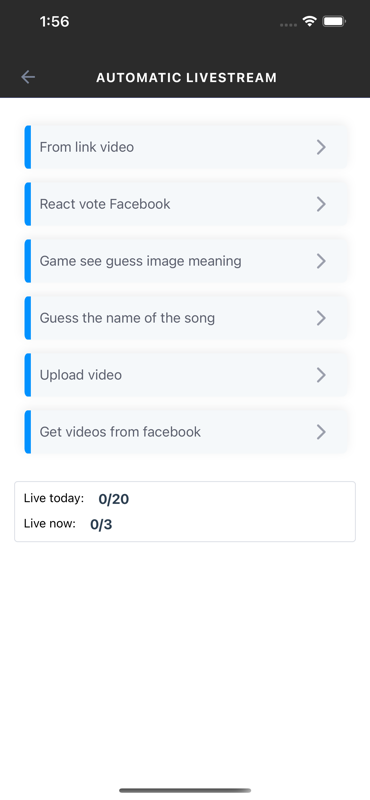
GoStream - The first and only free live streaming software in the world that allows pre-recorded live stream, supports broadcasting simultaneously to 20 different platforms: Facebook, YouTube, Twitch,... or e-commerce platforms: Shopee, Tiki, Lazada,... Our software brings customers 3 GREAT BENEFITS:TIME SAVING
You no longer need to invest a lot of time in preparing for live streams which are then broadcasted only once to a single platform. GoStream, with multi-platform live streaming feature using pre-recorded videos, enables you to stream live simultaneously on multiple platforms, saving time for another activities.
COST SAVING
With the feature to stream pre-recorded video live, you just need to record and edit one single complete video and then use GoStream to broadcast it as live stream, instead of having to invest in each live stream and then use it only once like before.
USER-FRIENDLY
GoStream live streaming software is designed with an intuitive and easy to use interface, thus you only need to perform some simple steps to stream pre-recorded video live on Facebook, Youtube or any other platforms you want.
Don’t hesitate, use GoStream now for the most professional live stream!