Blogs
How to change view in PUBG MOBILE when the grenade is thrown
2018-07-20
Here is the solution for you.
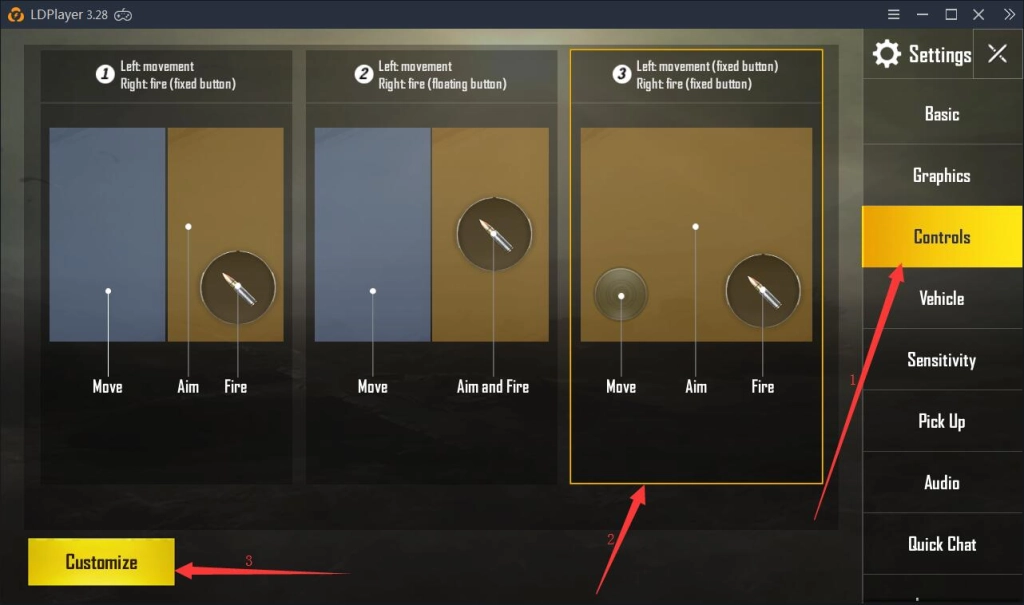
1. click Settings in game and then click Controls. After that, select the third control method and then click Customize.
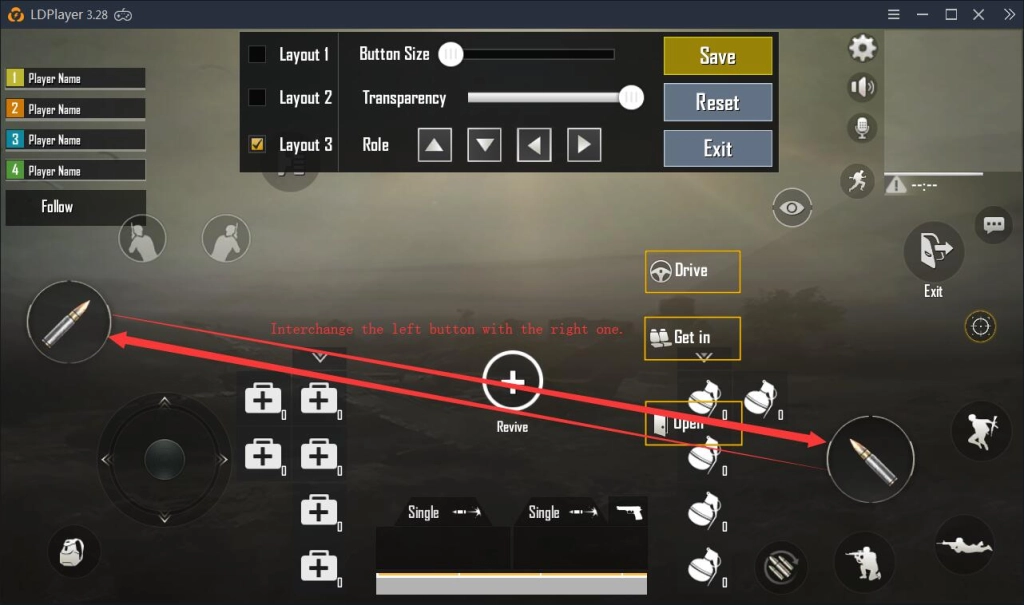
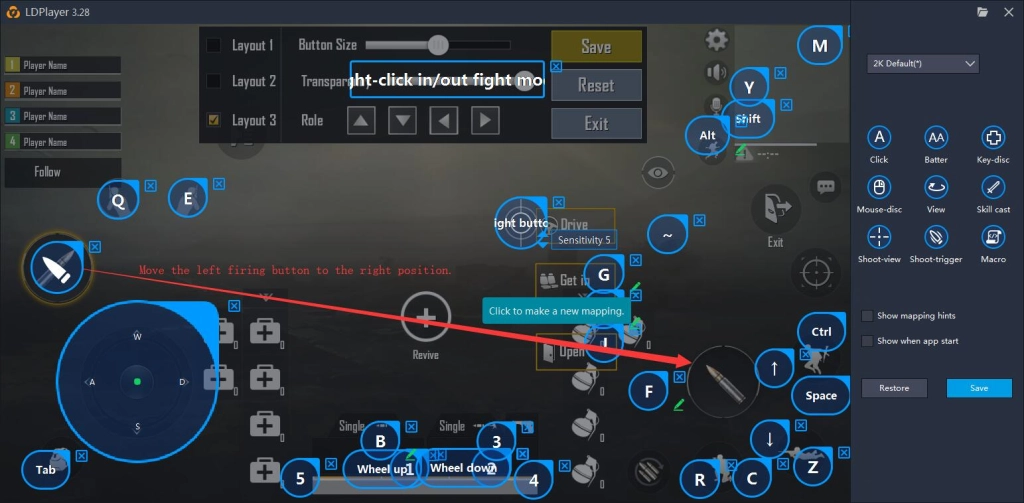
2. Interchange the button for firing at the left side with the one at the right side. Press the F12 key on your computer keyboard to open the Keyboard maping and then move the left firing button to the right position. At last, click Save.
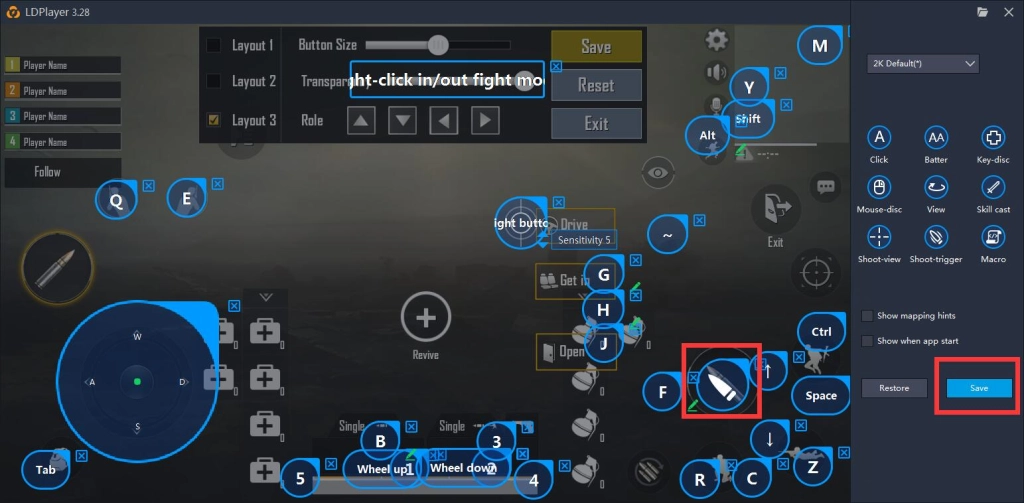
You can normally change your view when you are throwing the grenade after doing these things.

LDPlayer Emulator
LDPlayer Emulator
You May Also Like
Where Winds Meet Best Weapons Guide - Types, Tier List, Combos & PvE Solo

The BEST PvE / PvP Builds in Where Winds Meet

Ragnarok Monster Kitchen Codes: December 2025 *New Codes*
Ragnarok Monster Kitchen Beginner's Guide with Tips

Epic Games Christmas Free Games 2025 - Top 10
Grow a Garden Christmas Mutations Guide