Chords Progressions is a Music&Audio application developed by Arfusoft, but with the best Android emulator-LDPlayer, you can download and play Chords Progressions on your computer.
Running Chords Progressions on your computer allows you to browse clearly on a large screen, and controlling the application with a mouse and keyboard is much faster than using touchscreen, all while never having to worry about device battery issues.
With multi-instance and synchronization features, you can even run multiple applications and accounts on your PC.
And file sharing makes sharing images, videos, and files incredibly easy.
Download Chords Progressions and run it on your PC. Enjoy the large screen and high-definition quality on your PC!
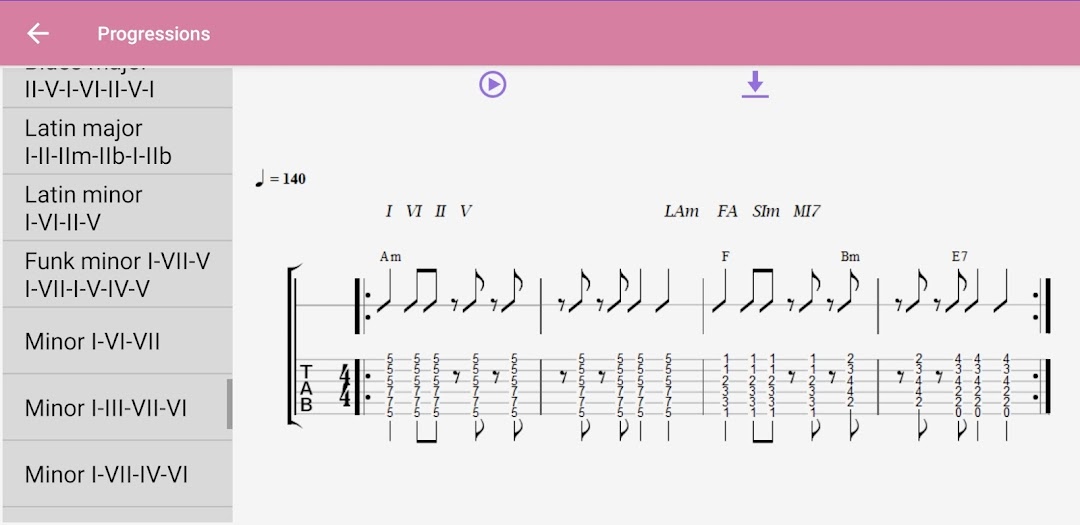
The Chord Progressions app brings together a collection of very interesting chord progressions that can be heard in most albums and hits that have had international success. The application allows you to see, with supporting images, the use of these chord progressions in musical styles such as Pop, Rock, Folk, Ballads, Blues, Funk and Latin music . From the application you can:* See each progression as a notation in tablature
* Play progression
* Export progressions in .midi format for use in your favorite sequencer or digital audio workstation or notation software
* Play your own progressions on a low latency virtual keyboard with ultra realistic guitar and piano sounds.