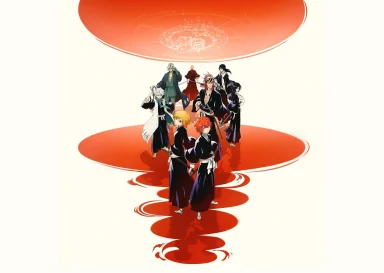
Hello, Soul Reapers! Are you ready to move beyond your touchscreen and enjoy a better gaming experience? Then it’s time to unleash your power in BLEACH Mirrors High like never before on your PC! With the help of LDPlayer 14, you can play BLEACH Mirrors High using mouse and keyboard controls in an enjoyable way. In this guide, we will be covering all the necessary information such as PC specifications, installation procedure, solutions for problems, and useful LDPlayer features to enjoy every battle in the best way.

Recommended PC Specs for BLEACH Mirrors High
BLEACH Mirrors High is a 3D action game with card-based combat, SOUL DRIVE team attacks, and character customization. The base APK is around 350–400 MB, but additional downloads may require 3.5 GB or more. When playing the game with a mobile device, it requires Android 12 or later, with 6 GB RAM recommended. For smooth gameplay on PC with LDPlayer, follow these practical requirements.
|
Component |
Single Instance (comfortable) |
Multi-Instance (2–4 windows) |
|
OS |
Windows 10 or 11 (64-bit) |
Same |
|
CPU |
4-core Intel/AMD with virtualization enabled |
6-core or better |
|
RAM |
8 GB system (assign 4–6 GB to LDPlayer) |
8 GB or more recommended |
|
GPU |
OpenGL 4.0 / DirectX compatible |
Dedicated GPU preferred |
|
Storage |
3-3.5 GB free (SSD strongly preferred) |
Extra space per instance |
|
Display |
1080p is fine |
Same |
Important: Windows 10 or 11 is the more reliable choice for stable performance and long-term compatibility with BLEACH Mirrors High.
How to Install BLEACH Mirrors High on PC Using LDPlayer
Step 1: Download and Install the Official LDPlayer Emulator
The very first step that you have to take before playing BLEACH Mirrors High on the PC is to get an appropriate Android emulator installed on your PC. For a better and smoother gameplay, LDplayer is a perfect choice for enjoying the larger screen and more comfortable gameplay with the help of the keyboard and mouse setup. So, follow these steps to install LDPlayer on your computer:
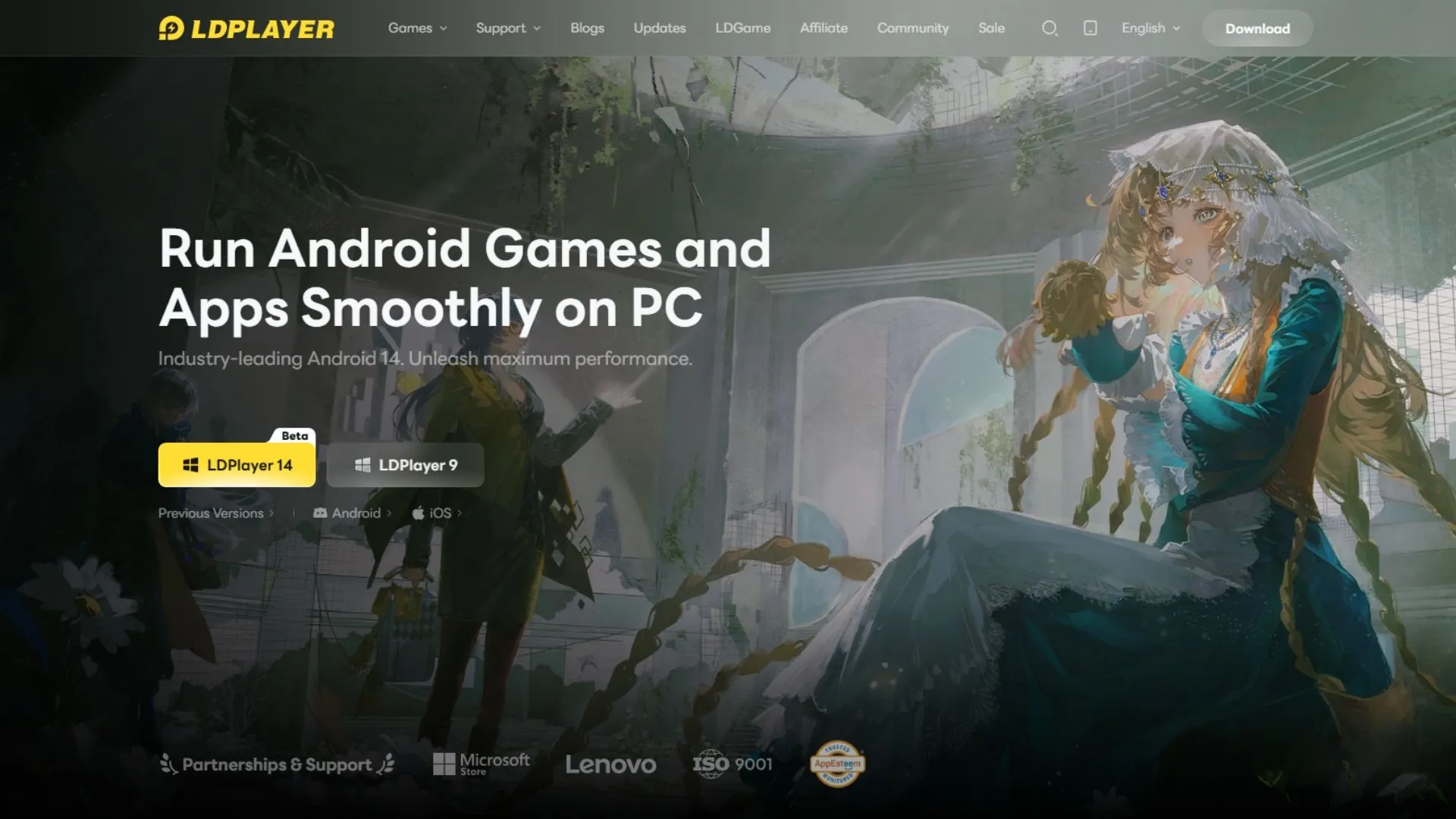
- Go to the official LDPlayer website and download its latest version by clicking on the yellow button.
- Find the downloaded exe.file in your Downloads folder and run it.
- Just follow the on-screen instructions to install it.
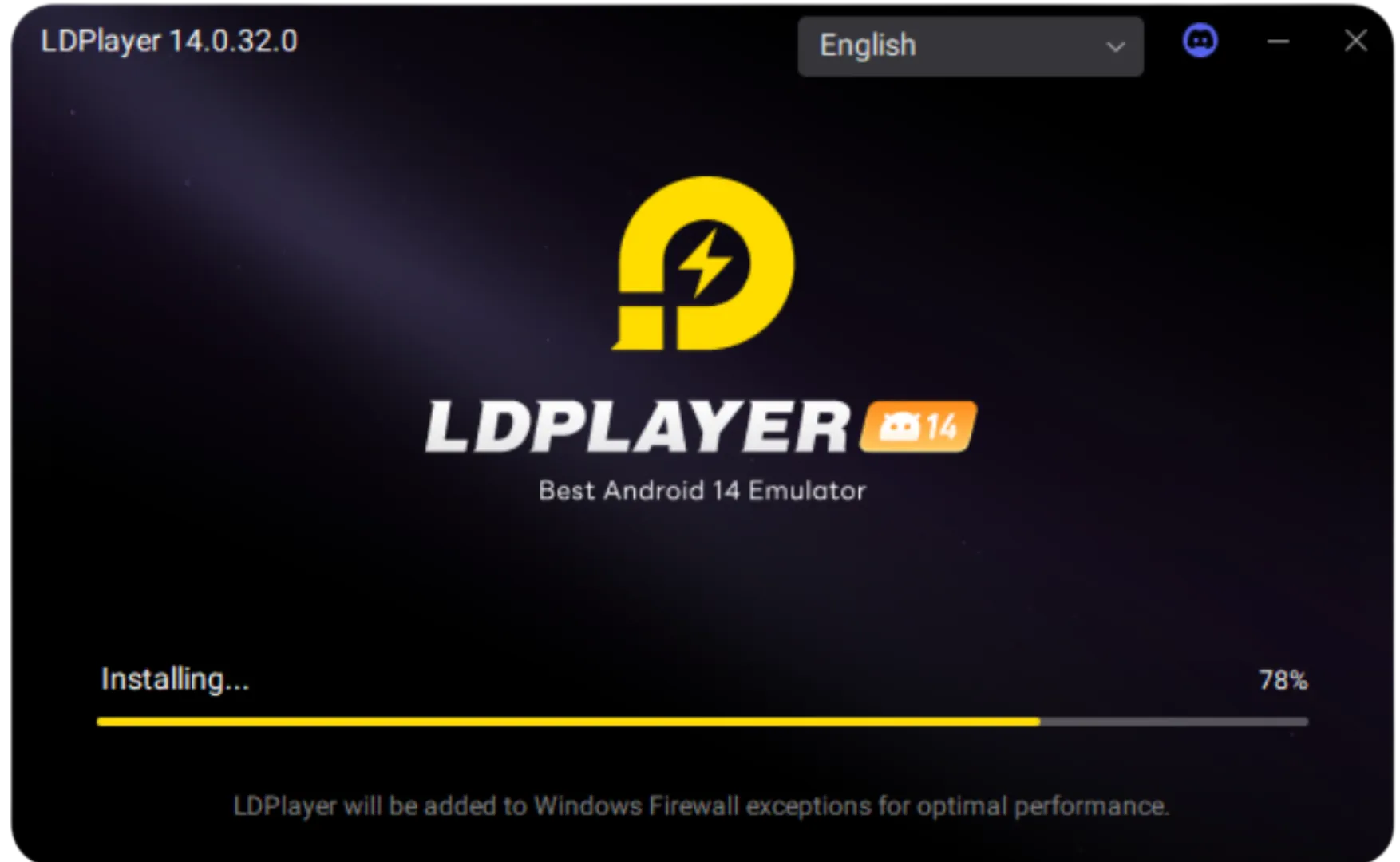
- After the installation is done, start LDPlayer through the desktop shortcut.
Step 2: Find and Install BLEACH Mirrors High Inside the Emulator
The next step after installing LDPlayer is to search for BLEACH Mirrors High through the LD Store or Google Play Store. This game is developed and published by Bandai Namco Entertainment, so make sure you select the official game rather than an unrelated application.
- Open LDPlayer 14 and find the search bar on the home screen, or open the LD Store.
- Type “BLEACH Mirrors High” and select the official game published by Bandai Namco Entertainment.
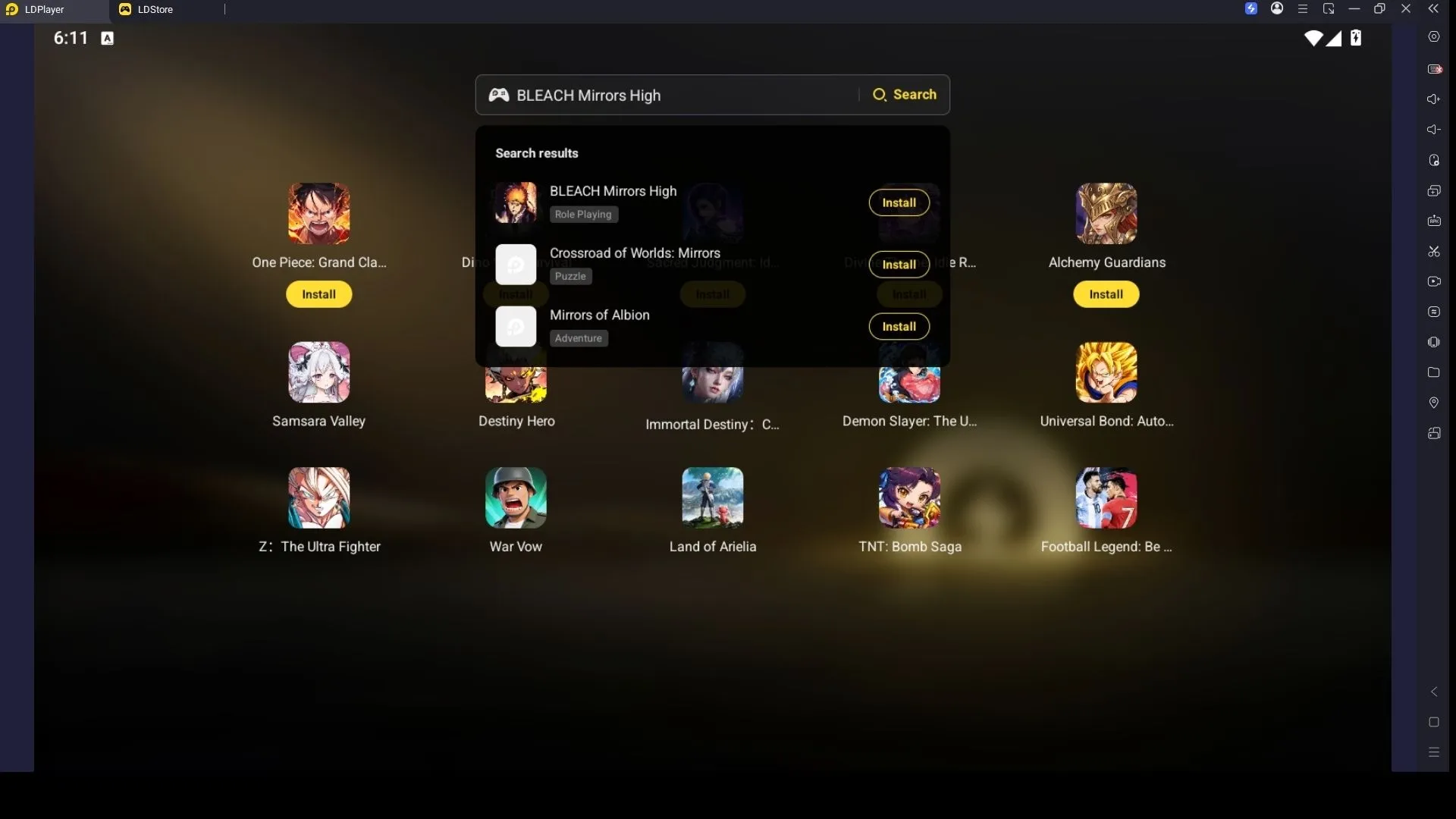
- Hit the Install button and let the download begin.
- If the emulator redirects you to the Google Play Store, move on to the next step. If the installation starts right away, simply wait until it finishes.
Step 3: Sign In to the Google Play Store (If Needed)
If this is your first time downloading a game using LDPlayer and the download for BLEACH Mirrors High takes you to the Google Play Store, then you will be required to login to your Google account. Follow these simple steps to get started:
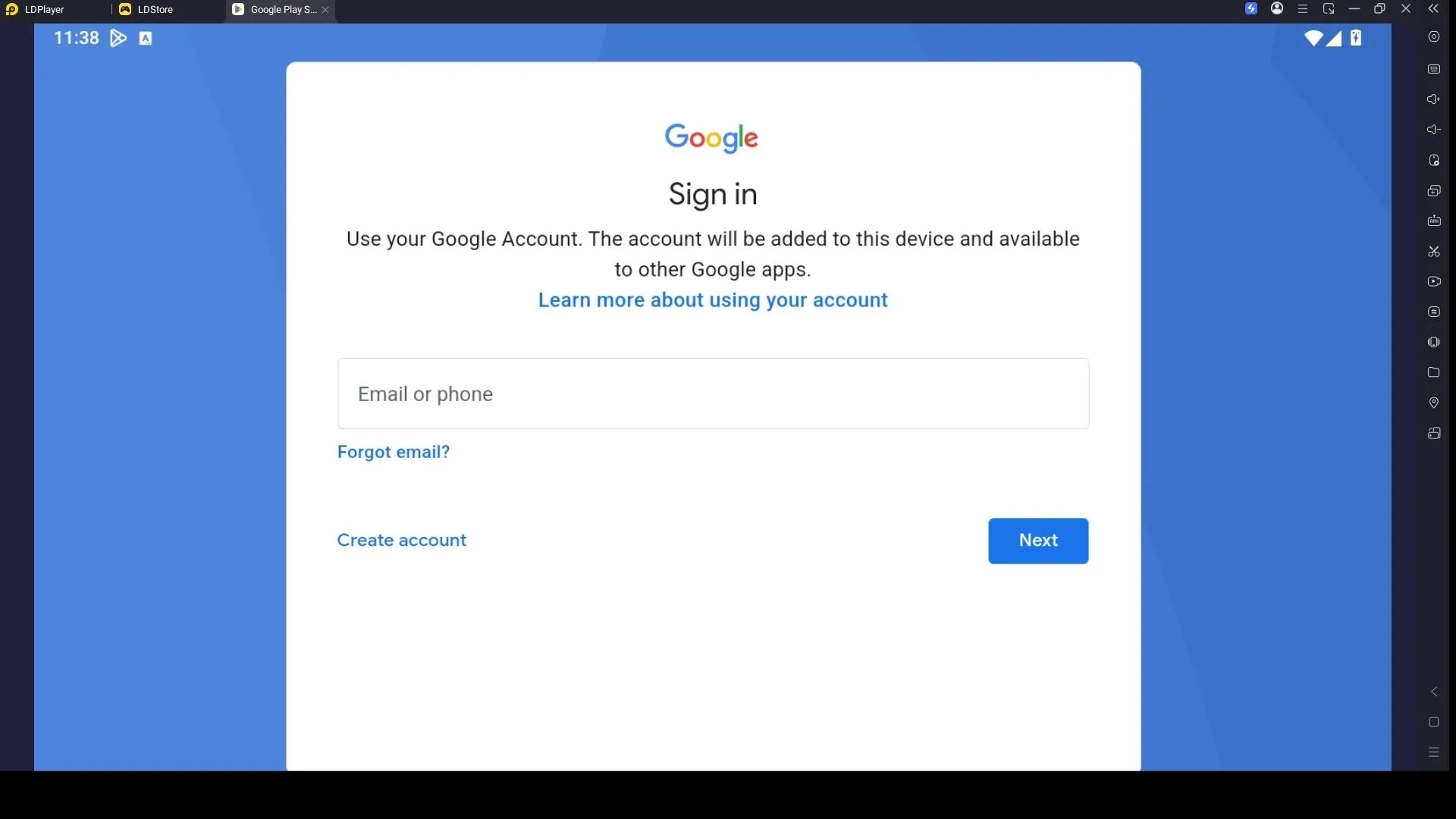
- Open the Google Play Store from the System Apps folder in LDPlayer.
- Click Sign In and enter your Google account email address and password. If you don't have an account, click Create Account and follow the registration steps.
- Complete any security checks or verification steps required during the sign-in process.
- Once signed in, return to the Play Store and search for “BLEACH Mirrors High.”
- Select the official game from the search results and click Install.
- Wait for the installation to finish. The game icon will appear on the LDPlayer home screen when it's ready.
- Click the BLEACH Mirrors High icon to launch the game and move on to the next step.
Step 4: Download Extra Game Resources and Start Playing
The first time you try to play BLEACH Mirrors High, you may need to download extra game data in order to be able to start the gameplay. These extra resources include character models, animation, battle effects, voices, story content, and many other resources. Before downloading the additional resources, make sure you have a stable internet connection and enough free storage space to download all the required data and launch the game without errors.
- Launch LDPlayer 14 and click the BLEACH Mirrors High icon on the home screen.
- If the game asks you to download additional resources, select the confirmation option to begin the download.
- Keep the game open while the required files download. The time needed will depend on your internet speed and the amount of data required.
- Once the download finishes, follow the on-screen instructions to complete the initial setup and choose an available login method.
Now everything is ready! You can enjoy BLEACH Mirrors High on PC with LDPlayer, create your own Soul Reaper, build a team of three characters, and experience its strategic card-based battles on a bigger screen.
Common Issues on LDPlayer and How to Fix Them Easily
Playing BLEACH Mirrors High on the LDPlayer emulator can sometimes lead to certain performance problems or errors while you engage in battles. The good news is that all these problems can easily be solved, and you can enjoy smoother gameplay without interruptions through your PC. Here are some common issues you will face:
Fixes for Black Screen or Game Not Launching Properly
One of the most common problems when playing BLEACH Mirrors High on LDPlayer is a black screen or the game failing to launch properly. This usually happens because of incompatible graphics settings, outdated emulator files, or conflicts with your system’s display configuration. It can leave you stuck before you even reach the character select screen.
How to fix black screen or launch failures:
- Open LDPlayer settings → Graphics and switch the rendering mode (try DirectX if you are on OpenGL, or vice versa)
- Enable High FPS and set the resolution to a standard value such as 1920×1080 or 1600×900
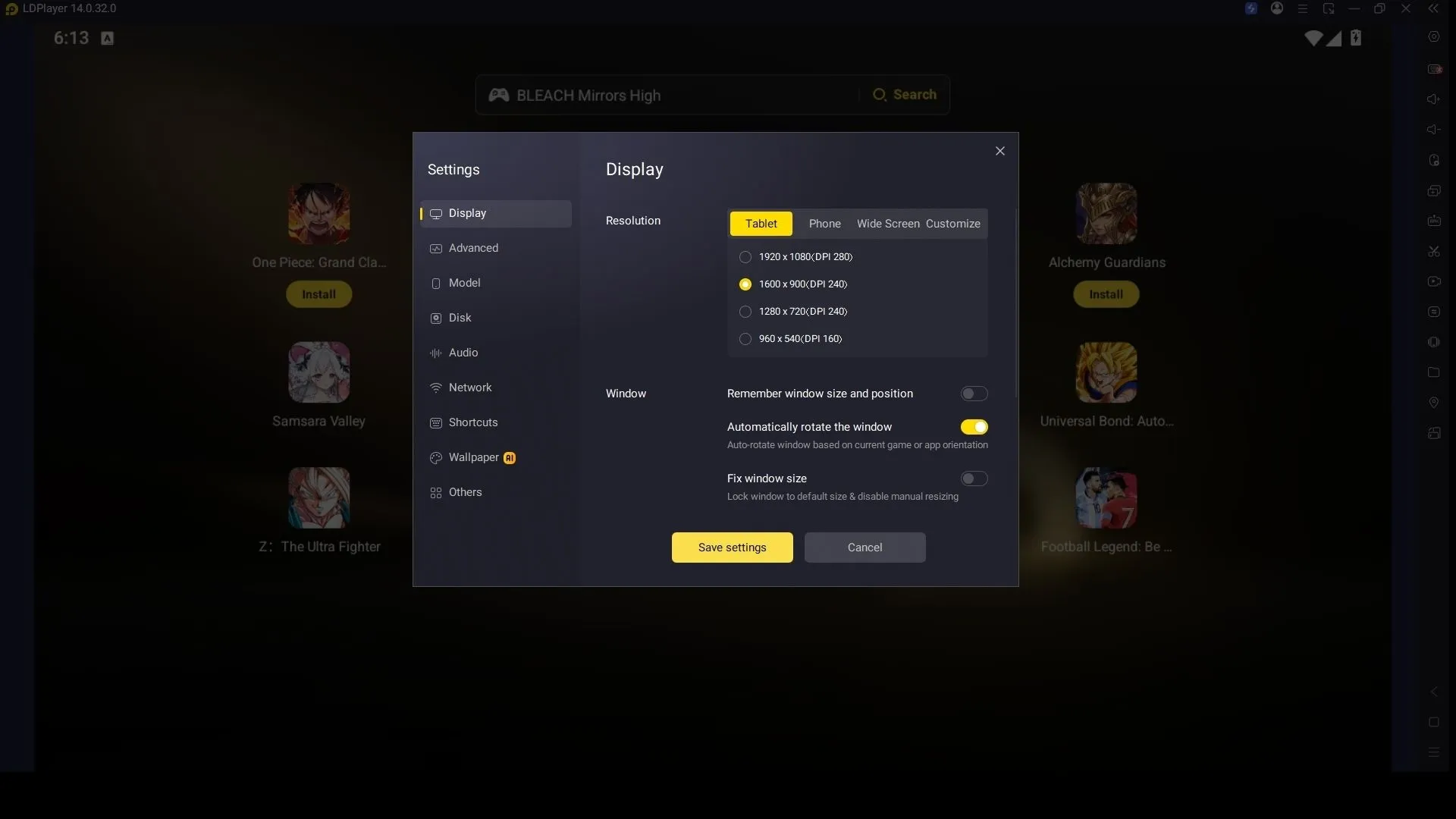
- Clear the game cache inside LDPlayer (long-press the game icon → Clear cache) and restart the emulator
- Run LDPlayer as administrator and make sure to update Windows graphics drivers.
- Disable any overlays (Discord, NVIDIA GeForce Experience, Xbox Game Bar) that may interfere with the emulator
- Reinstall the game if the problem continues after the above steps
Fixes for Controls Not Responding or Input Lag
There might be instances where the keyboard and mouse controls will not function correctly or experience some lag when playing BLEACH Mirrors High on LDPlayer. This makes it hard for you to perform accurate dodges and aim while battling. These issues often happen because of incorrect key mapping, high PC resource usage, or the wrong control settings.
How to fix unresponsive controls or input lag:
- Open LDPlayer’s control editor and reset the key mapping to default, then re-customize only the essential buttons
- Lower the emulator’s FPS limit slightly (e.g., from 60 to 45–50) if your PC is struggling
- Close background programs that use a lot of CPU or interfere with input.
- Update LDPlayer to the latest version; LDPlayer 14 and restart both the emulator and your PC
Download LDPLAYER, play BLEACH Mirrors High on PC, enhance your gaming experience!


Enjoy BLEACH Mirrors High on PC with Special LDPlayer Features
LDPlayer turns your BLEACH Mirrors High sessions into a smoother, more enjoyable experience on PC. Its built-in tools give you better control during fast battles and help you start stronger by optimizing early character pulls.
Customize Your Battle Strategy with Keyboard Shortcuts
BLEACH Mirrors High mixes quick action with tactical card play, so precise controls matter a lot. Instead of tapping the screen, LDPlayer’s Keyboard Mapping lets you bind keyboard keys and mouse clicks to every on-screen button. You can move freely, play Action Cards, fire off special moves, trigger Soul Drive, and handle other commands with a setup that feels comfortable to you.
How to Set Up Keyboard Mapping:
- Open the Keyboard Mapping tool from the side toolbar (or press F12).
- Look over the default key layout and see if it already feels good.
- Drag and drop keys onto the matching on-screen buttons if you want changes.
- Assign comfortable keys for movement, card attacks, special skills, Soul Drive, and any other actions you use often.
- Save your layout and jump into a battle to test it.
- Change the key bindings until everything feels smooth and responsive.
Boost Your Rerolling Chances with LDPlayer Multi-Instance
Getting the right characters early can give you a strong start in BLEACH Mirrors High. With LDPlayer’s Multi-Instance and Synchronizer features, you can run multiple accounts at once and try your summons across them. Compare your results, choose the account with the best characters, and begin your Soul Reaper journey with a stronger team.
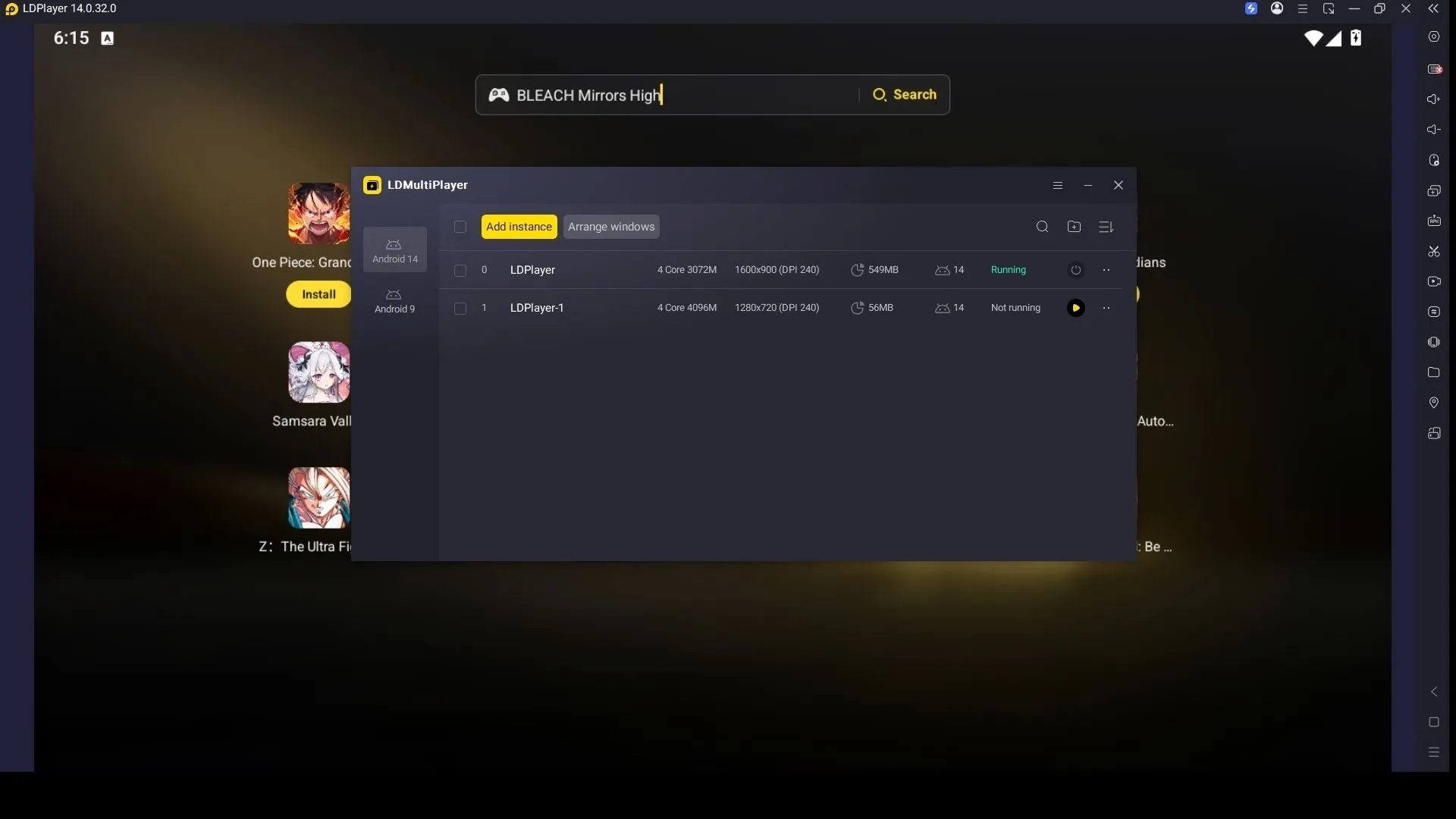
How to Use LDPlayer Multi-Instance Feature:
- Launch LDPlayer and open the Multi-Instance Manager from the right toolbar.
- Create new instances by clicking New Instance.
- Install BLEACH Mirrors High on each instance.
- Sign into a different account in every window.
- Open the Synchronizer tool and turn on sync so one set of controls works across all instances.
- Use your free or early summons on every account at once.
- Keep the account that gave you the strongest or most preferred characters and play from there.
Conclusion
Finally, everything is ready for you to begin your BLEACH Mirrors High adventure on PC with LDPlayer 14. Just follow the steps in this guide to complete the setup of LDPlayer onto your PC and enjoy battles on a bigger screen. Moreover, you can use LDPlayer's key features like Keyboard Mapping, Multi-Instance, and Synchronizer to customize your controls and improve your early character summons and make every Soul Reaper battle more exciting!