When playing Among Us on LDPlayer, beyond buttery-smooth high frame rates and convenient keymapping, there’s a frequently overlooked trick that delivers a literal "hardware hack" experience: adjusting your resolution.
By enabling Ultrawide Mode on the emulator, you can unlock a significantly larger field of view (FOV) across the map without modifying any game files. This guide breaks down the tactical advantages of going ultrawide and provides a simple step-by-step setup guide.
I. FOV Comparison & Key Advantages
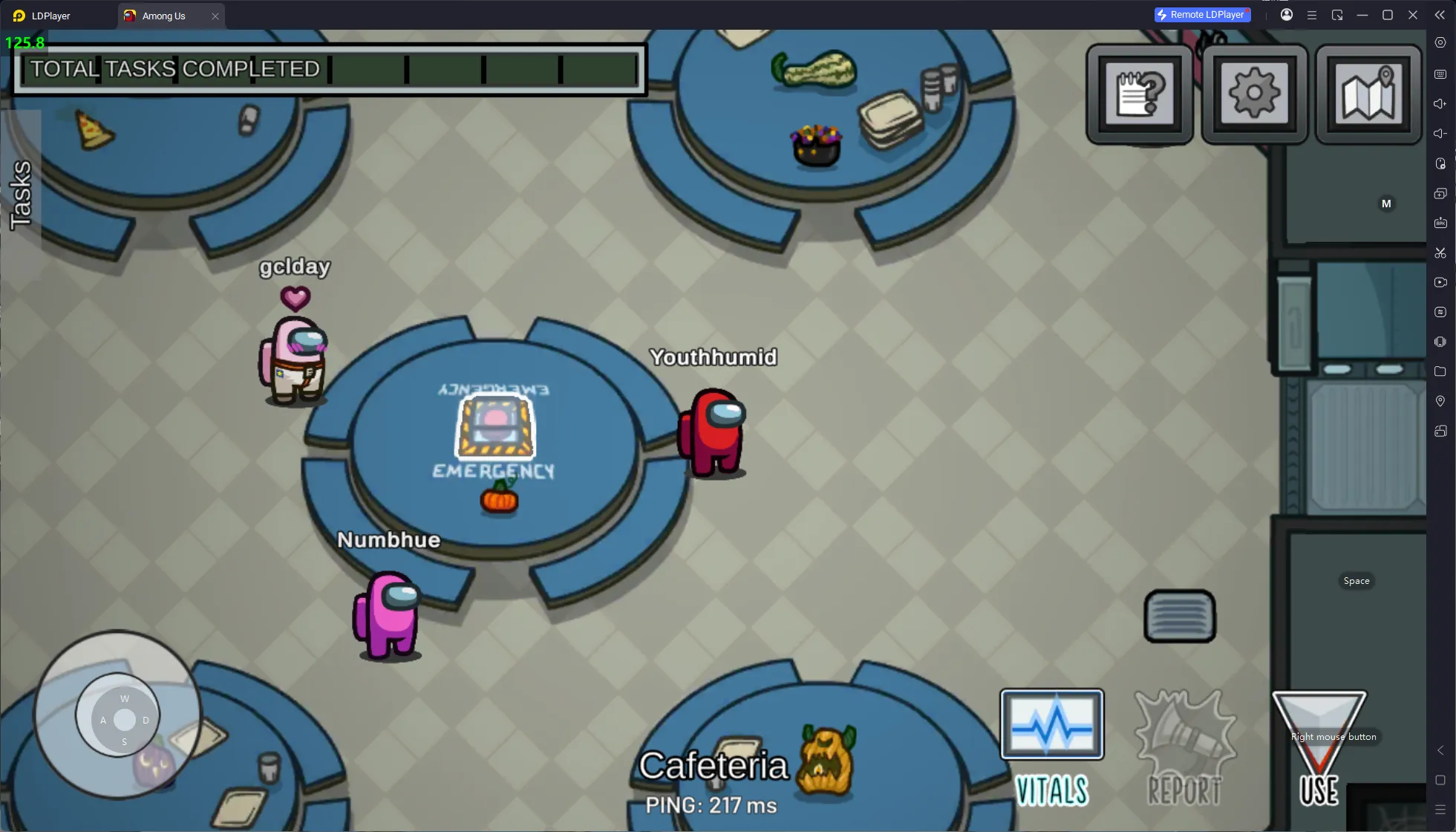
Standard Tablet Resolution:
Ultrawide Resolution:
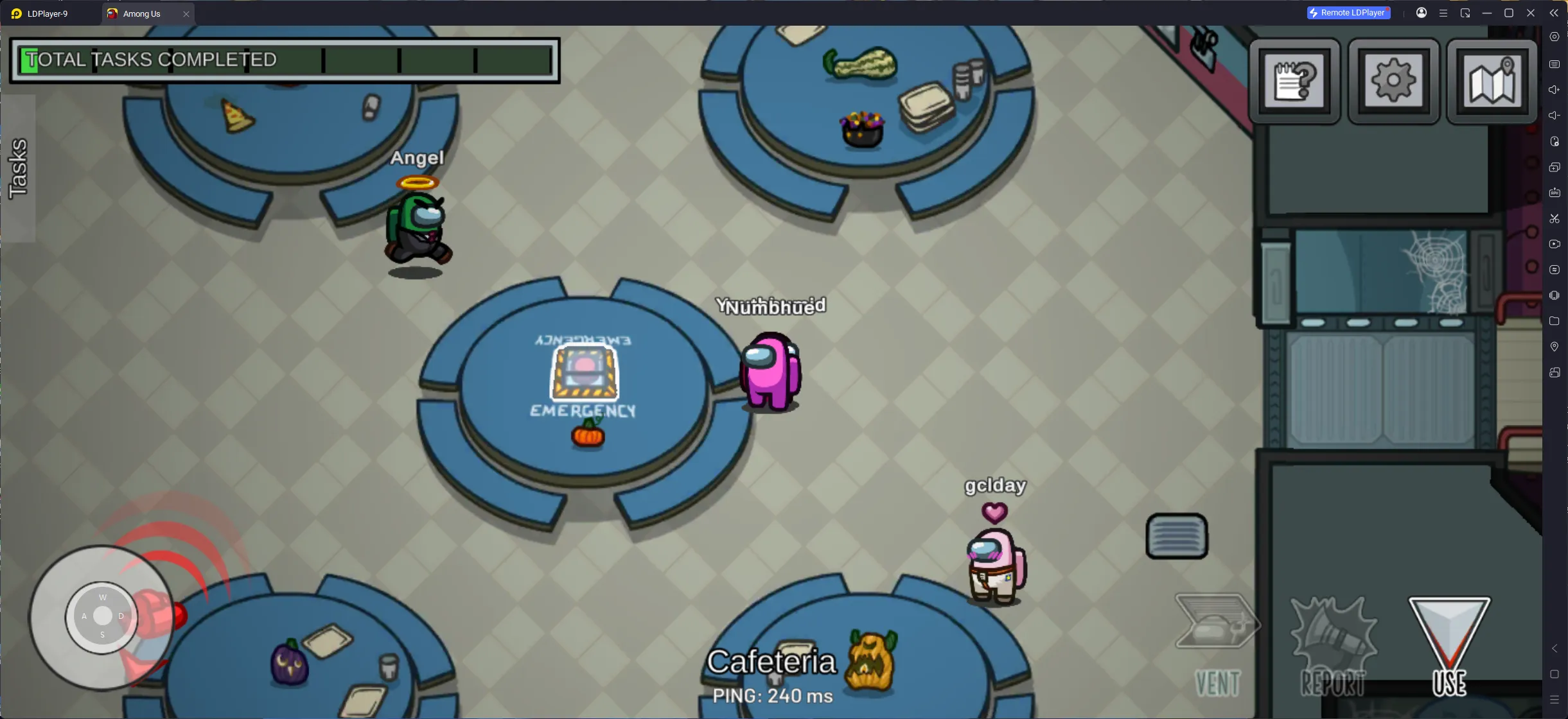
Unlike simple image stretching, LDPlayer’s Ultrawide Mode actually expands your horizontal field of view on both sides, eliminating blind spots inherent to standard tablet aspect ratios.
-
Built-in Wide Angle: Easily catch movements at the edges of your screen early. Whether you're quietly keeping tabs on other crewmates or watching out for Impostors lurking in dark corners, you'll always have the upper hand.
-
Panoramic Oversight: See more map content on the left and right sides. Hallways, dead ends, and multiple room entrances stay fully visible for a panoramic view of the area.
II. Setup Guide
Unlock your ultrawide FOV in just a few quick steps:
-
Click the Settings icon in the upper-right corner of LDPlayer.
-
Select Display from the left-hand menu.
-
Navigate to the Wide Screen section, then choose your preferred resolution from the menu (see recommendations below).
-
Click Save Settings, then select restart emulator in the pop-up prompt. Once restarted, launch the game to enjoy the new view.
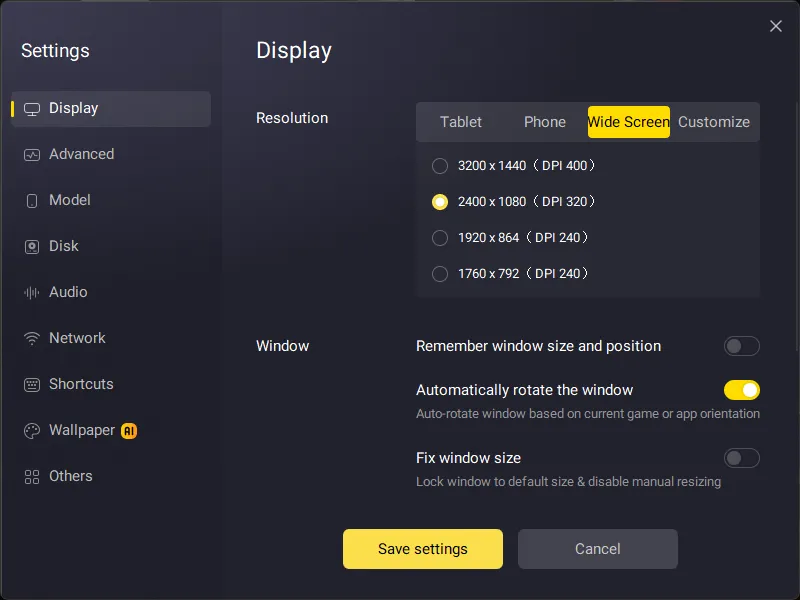
III. Recommended Resolution Settings
All listed options are optimized around a golden 2.22:1 ultrawide aspect ratio. Pick the configuration that best matches your PC specs and monitor performance:
-
3200 × 1440 (Ultra HD )
Best paired with high-end 2K/4K monitors. Delivers razor-sharp details and max immersion.
-
2400 × 1080 (Balanced HD)
The top choice for mainstream PC builds, offering the perfect balance between crisp visuals and smooth performance.
-
1920 × 864 or 1760 × 792 (High-FPS Expansion)
Ideal for mid-to-low-end PCs or thin-and-light laptops, ensuring stable, lag-free gameplay while keeping the tactical advantage of an expanded field of view.