
Ghost HQ: RPG Multiplayer Game
Team up in this thrilling multiplayer RPG to hunt ghosts in haunted mansions!

Overview

FAQ
Use LDPlayer to Play Ghost HQ: RPG Multiplayer Game on PC
Ghost HQ: RPG Multiplayer Game is a Action game developed by Midoki Ltd, and LDPlayer is the best platform for playing Ghost HQ: RPG Multiplayer Game on PC, offering powerful features to immerse you in the game.
When playing Ghost HQ: RPG Multiplayer Game on computer, you can adjust frame rate settings for smooth gameplay and stunning visuals.
LDPlayer also provides pre-configured keyboard mapping for convenient control of the entire game. Continuous optimization of keyboard mapping enhances key sensitivity and skill accuracy. Additionally, LDPlayer offers special buttons like shoot, hide mouse, and continuous key press for an enhanced gaming experience.
If you prefer using a gamepad, the automatic gamepad detection allows you to customize controls with just a few clicks, enabling you to freely maneuver your hero. Start downloading and playing Ghost HQ: RPG Multiplayer Game on your computer now!
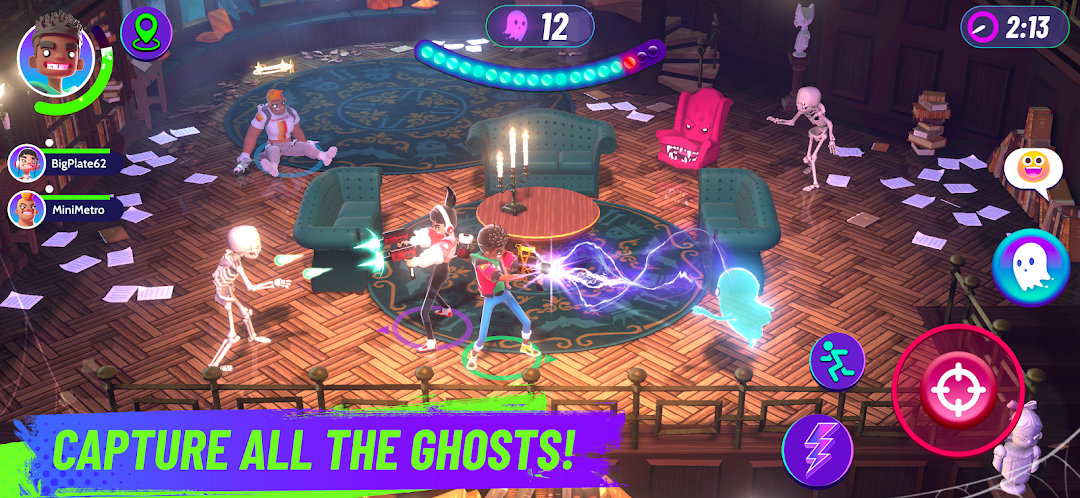
In this new action-packed, team-based action game, you are the boss of Ghost HQ, a team of elite ghost hunters.The Town of Dunville has been invaded by the supernatural. Ghosts spread like flies, possessing furniture and turning it into strange and unexpected enemies.
Boss monsters have spawned in attics and cellars, turning normal homes into spooky spectacles and dungeons of danger!
Ghost HQ never sleeps, as new infestations pop up across town. It's up to you to keep the beasts at bay.
PLAY WITH FRIENDS IN MULTIPLE GAME MODES:
Explore and fight a menagerie of weird and wonderful creatures in a range of game modes. Capture ghosts before they possess all kinds of furniture, from plant pots to bookshelves, and attack you back! Play with friends or go solo, choose a quick three-minute game, or a more epic mission in a living game world where there's always one more emergency. Randomized modifiers and enemies ensure each session is never exactly the same.
- Ghost Hunts: Hunt down and capture ghosts in haunted houses for a quick dose of exploration and combat.
- Grave Escape: Team up with friends and stop a growing horde of ghosts from escaping the graveyard. Tension builds up quickly in this frantic game mode.
- Mansions: Explore a large mansion, hunting down ghosts, battling beasts to work your way towards a confrontation with a big boss beast!
- Time Attack: How many ghosts can you capture in three minutes? How much do you push your luck for a high score in this burst of intense action?
BUILD YOUR TEAM:
Your Ghost HQ is only as good as the agents in your team. Each agent has their own personality, weapons, and play style. Grow your roster and rank them to be the best! Each agent has their own play style. They may be focused on Attack, Control, or Support, and they each have a unique power and a weapon that supports that style. As you level up your HQ, you unlock new game modes, new agents, and other awesome rewards.
GEAR UP IN STYLE:
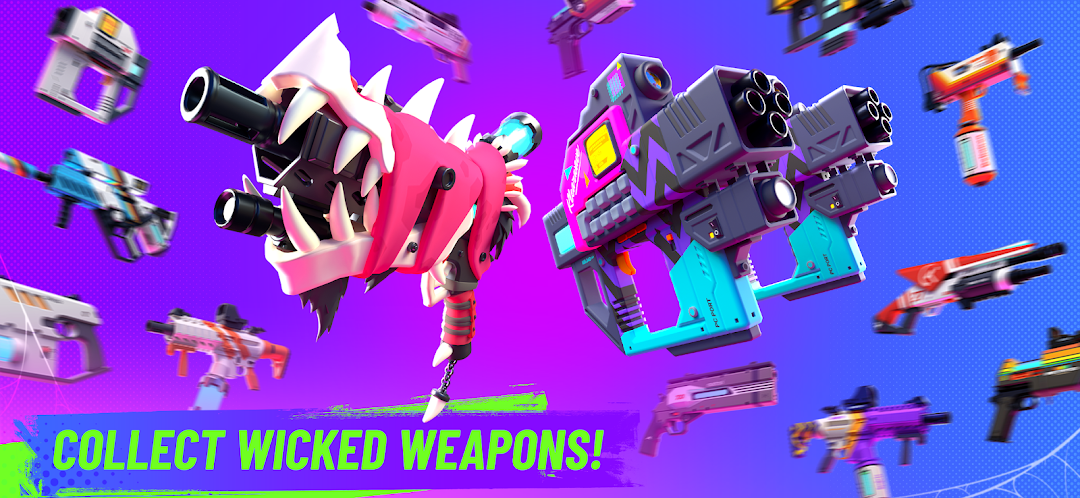
Agents have their own personality and style, which you can customize by collecting cool new gear and accessories. Expand your collection of unique weapon skins and ready yourself to protect the strange and surprising town of Dunville.
Launch the game and choose your agent and join the cooperative PvE adventure from Midoki and enter a strange and surprising world of Dunville!
This game includes optional in-game purchases (includes random items).
Screenshots and Videos of Ghost HQ: RPG Multiplayer Game PC


Why Play Ghost HQ: RPG Multiplayer Game on PC with LDPlayer?
 Ultra-Wide Screen
 Keyboard Mapping
 One-Click Macro




Utilizing the expansive screen, it offers a panoramic, all-encompassing view of the game in Ghost HQ: RPG Multiplayer Game, leaving no blind spots. Players can observe game details with crystal clarity and react instantaneously.

High FPS
With support for high FPS, Ghost HQ: RPG Multiplayer Game's game graphics are smoother, and actions are more seamless, enhancing the visual experience and immersion of playing Ghost HQ: RPG Multiplayer Game.
Extended Battery Life
When running Ghost HQ: RPG Multiplayer Game on your computer, you need not worry about low battery or device overheating issues. Enjoy playing for as long as you desire.
How to Download&Play Ghost HQ: RPG Multiplayer Game on PC?
 1
1Download and install LDPlayer on your computer
 2
2Locate the Play Store in LDPlayer's system apps, launch it, and sign in to your Google account
 3
3Enter "Ghost HQ: RPG Multiplayer Game" into the search bar and search for it
 4
4Choose and install Ghost HQ: RPG Multiplayer Game from the search results
 5
5Once the download and installation are complete, return to the LDPlayer home screen
 6
6Click on the game icon on the LDPlayer home screen to start enjoying the exciting game


