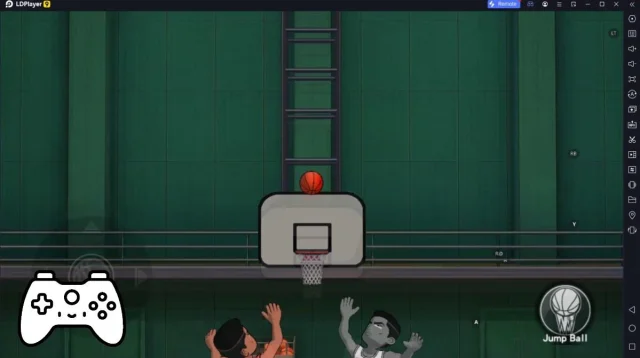
Yacine TV is a Sports game developed by Yacine TV LLC. LDPlayer is the best platform for playing Yacine TV on Windows PC, offering powerful features to enhance your immersive experience in Yacine TV.
When playing Yacine TV on your computer, the larger screen and more powerful graphics performance enable you to enjoy clearer and smoother game visuals, enhancing the visual experience of the game.
The operation of peripherals such as gamepads is emulated to better mimic the feel of real sports, providing more precise control and richer operation options.
Furthermore, if you wish to execute a series of continuous key combinations, the one-click macro feature will be the functionality you've been dreaming of, allowing you to effortlessly stay one step ahead with one-touch operation. Start downloading and playing Yacine TV on your computer now!
Follow every important football moment with Yacine TV, your simple and reliable companion for live football scores, match schedules, results, standings and football news.Yacine TV helps football fans stay updated with matches from popular leagues and competitions around the world. Quickly check today’s fixtures, follow live match scores and explore upcoming and completed games from one easy-to-use application.
⚽ LIVE FOOTBALL SCORES
Follow live football matches and receive the latest score updates while games are being played. Live matches are clearly highlighted so you can find them quickly.
📅 FIXTURES AND MATCH RESULTS
View today’s matches, upcoming fixtures and completed football results. Match information is organized clearly to help you find the games that matter to you.
🏆 LEAGUE STANDINGS
Explore updated football league tables, team positions, points, wins, draws, losses and other useful competition information.
⭐ FAVORITE MATCHES AND TEAMS
Save your favorite matches and teams for faster access. Your selected content is displayed prominently whenever you open Yacine TV.
📊 MATCH DETAILS
Open any match to discover available information such as:
• Match status and live score
• Kick-off date and time
• Competing teams
• League and competition
• Match events and statistics
• Team lineups when available
• Final results
🔮 FOOTBALL PREDICTIONS
Discover available match predictions and useful pre-match information. Predictions are provided for informational and entertainment purposes only.
📰 FOOTBALL NEWS
Read the latest football news, competition updates, team stories and other important developments from the football world.
🧠 FOOTBALL QUIZ
Test your football knowledge through entertaining quiz questions and challenge yourself to achieve better results.
🔎 EASY MATCH DISCOVERY
Yacine TV organizes live matches, important fixtures and finished games in a simple order, making it easier to discover the content you are looking for.
WHY CHOOSE YACINE TV?
• Simple and modern interface
• Fast access to live football scores
• Fixtures, results and league standings
• Football news and match predictions
• Favorite teams and matches
• Popular leagues and competitions
• Regular information updates
• Lightweight and easy to navigate
Whether you want to check a live score, find the next match, review league standings or read football news, Yacine TV gives you the essential football information in one place.
Download Yacine TV and stay connected with your favorite football matches, teams and competitions.
DISCLAIMER
Yacine TV is a football scores and information application. It does not stream live television channels or copyrighted sporting events. Match data, team names, competition names and logos may belong to their respective owners. Predictions are informational only and do not guarantee any result.