

Overview

FAQ
Use LDPlayer to Play Miner Depths on PC
Miner Depths is a Casual game developed by walowern. LDPlayer is the best platform for playing Miner Depths on Windows PC, offering powerful features to enhance your immersive experience in Miner Depths.
When playing Miner Depths on your computer, if you find repetitive actions or tasks tedious and time-consuming, fret not! Macro can alleviate your concerns. Simply record your actions with a click of the screen recording feature and let macros take care of the rest. Macros automate your operations, allowing you to effortlessly conquer the game with minimal effort! Start downloading and playing Miner Depths on your computer now!
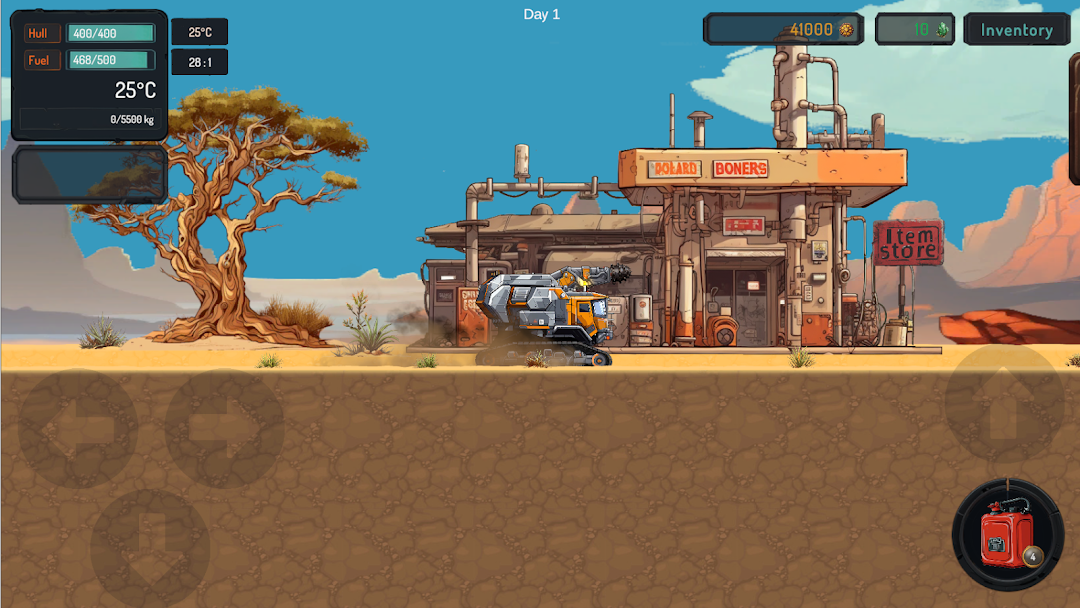
Miner Depths is a 2D mining adventure where you take control of a drill, digging through layers of earth to uncover a wide variety of valuable ores and treasures. You can sell the ores you find for coins, which you’ll use to upgrade your gear, unlock new abilities, and buy useful items to help you overcome obstacles and dig even deeper. As you go deeper, the challenges increase, and the ores you uncover become more valuable. Reaching the bottom isn’t a race, it rewards patience and perseverance. The game captures the thrill of discovery, the satisfaction of progress, and the excitement of building up your miner to see just how far you can go. What will you find at the bottom?Overcome Underground Challenges
Navigate unstable tunnels, avoid hazards, and adapt to the evolving depths. The underground world is packed with surprises and threats that test your skills and reward creative strategies.
Explore Vast Underground Realms
Dive into layers rich with ores and obstacles. Every depth promises new rewards, keeping your mining experience exciting as you unearth rare finds and face fresh challenges.
Upgrade & Customize Your Gear
Collect resources to enhance your equipment and refine your strategy. Each upgrade unlocks new possibilities, allowing you to master the depths in your own unique style.
Utilize Special Items
Discover tools that give you an edge. From fuel boosters to powerful drills, these items help you overcome obstacles and progress faster in your mining expeditions.
Manage Resources Strategically
Balance fuel, repairs, and upgrades to keep your operations running smoothly. Strategic planning and resource management make each dig both challenging and rewarding.
Ready to see how far you can go? Enjoy, and happy digging!
Screenshots and Videos of Miner Depths PC


Why Play Miner Depths on PC with LDPlayer?
 Operation Recorder
 High FPS
 Custom Controls




Record operations to easily execute repetitive upgrades and mission operations in Miner Depths with a single click. Additionally, it can be utilized for auto-battling bosses, thereby enhancing gaming efficiency.

One-Click Macros
Combine a series of operations into one keystroke to help you quickly and automatically complete the grinding in Miner Depths, improving gaming efficiency and experience.
Extended Battery Life
When running Miner Depths on your computer, you need not worry about low battery or device overheating issues. Enjoy playing for as long as you desire.
How to Download&Play Miner Depths on PC?
 1
1Download and install LDPlayer on your computer
 2
2Locate the Play Store in LDPlayer's system apps, launch it, and sign in to your Google account
 3
3Enter "Miner Depths" into the search bar and search for it
 4
4Choose and install Miner Depths from the search results
 5
5Once the download and installation are complete, return to the LDPlayer home screen
 6
6Click on the game icon on the LDPlayer home screen to start enjoying the exciting game


