Home/

Games/

Sports/

Live Cricket TV HD Streaming

Live Cricket TV HD Streaming
0.0100+

Live Cricket TV HD Streaming

Get real-time cricket scores, fixtures, rankings & match updates easily.

Play on PC with LDPlayer
recommend

AS APPSDEV

How to Download&Play Live Cricket TV HD Streaming on PC?
Last Updated: 2026-09-23
com.cricket.live.score.fast.update
  • Overview

  • FAQ

Use LDPlayer to Play Live Cricket TV HD Streaming on PC

Live Cricket TV HD Streaming is a Sports game developed by AS APPSDEV. LDPlayer is the best platform for playing Live Cricket TV HD Streaming on Windows PC, offering powerful features to enhance your immersive experience in Live Cricket TV HD Streaming.

When playing Live Cricket TV HD Streaming on your computer, the larger screen and more powerful graphics performance enable you to enjoy clearer and smoother game visuals, enhancing the visual experience of the game.

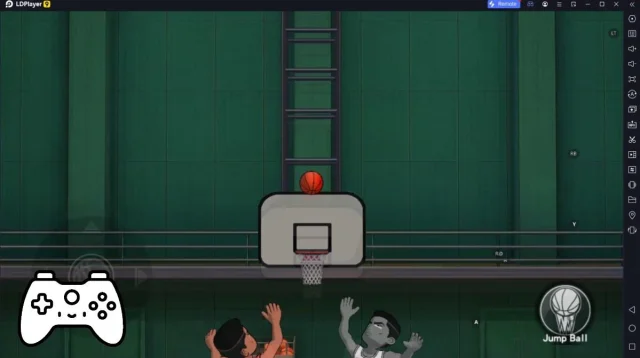
The operation of peripherals such as gamepads is emulated to better mimic the feel of real sports, providing more precise control and richer operation options.

Furthermore, if you wish to execute a series of continuous key combinations, the one-click macro feature will be the functionality you've been dreaming of, allowing you to effortlessly stay one step ahead with one-touch operation. Start downloading and playing Live Cricket TV HD Streaming on your computer now!

Live Cricket TV HD Streaming is your all-in-one cricket companion for real-time updates, match schedules, and player rankings.

Stay connected with the world of cricket with fast and accurate information from international and domestic matches.

🏏 Key Features:

✔ Live cricket scores with ball-by-ball updates
✔ Upcoming and recent match schedules
✔ Player rankings and team standings
✔ Latest cricket news and updates
✔ Simple and fast user interface

Get detailed insights into matches, teams, and players anytime, anywhere.

⚡ Follow international and league matches with fast and reliable updates.

⚠️ Disclaimer:
This app does not provide live TV streaming or video content.
It is designed to deliver cricket scores, schedules, rankings, and match information only.

⚠️ Copyright Disclaimer:
Content such as scores, schedules, and stats is sourced from publicly available data.
This app is not affiliated with any cricket boards or organizations.
All trademarks and names belong to their respective owners.
For any concerns, please contact us for removal.
Open up

Screenshots and Videos of Live Cricket TV HD Streaming PC

Experience a wider field of view, exquisite game graphics, and cooler combat skills and effects by downloading and playing Live Cricket TV HD Streaming on PC with LDPlayer. Enjoy the ultimate gaming experience with LDPlayer.

Why Play Live Cricket TV HD Streaming on PC with LDPlayer?

LDPlayer offers unique emulator features including multi-instance support, macros, operation recorder, and other functions not available on mobile devices.

Gamepad

High FPS

One-Click Macro

GamepadHigh FPSOne-Click Macro

Emulate a more realistic driving experience in Live Cricket TV HD Streaming, allowing for full freedom of movement for your hero. This enhances comfort, precision, and flexibility in controls, empowering players to better control their vehicles and win races.

  • Large Screen

    Offering a high-definition experience for Live Cricket TV HD Streaming on a large screen, animations and images are smoother, allowing for more comfortable content browsing and video watching.
  • Extended Battery Life

    When running Live Cricket TV HD Streaming on your computer, you need not worry about low battery or device overheating issues. Enjoy playing for as long as you desire.

How to Download&Play Live Cricket TV HD Streaming on PC?

  • 1

    Download and install LDPlayer on your computer

  • 2

    Locate the Play Store in LDPlayer's system apps, launch it, and sign in to your Google account

  • 3

    Enter "Live Cricket TV HD Streaming" into the search bar and search for it

  • 4

    Choose and install Live Cricket TV HD Streaming from the search results

  • 5

    Once the download and installation are complete, return to the LDPlayer home screen

  • 6

    Click on the game icon on the LDPlayer home screen to start enjoying the exciting game