Home/

Games/

Sports/

Cricket Live TV HD Streaming

Cricket Live TV HD Streaming
4.05+

Cricket Live TV HD Streaming

Watch live cricket matches, live scores, fixtures.

Play on PC with LDPlayer
recommend

Lumora Technologies

How to Download&Play Cricket Live TV HD Streaming on PC?
Last Updated: 2026-11-07
com.circ.puzzle.orgde.cric
  • Overview

  • FAQ

Use LDPlayer to Play Cricket Live TV HD Streaming on PC

Cricket Live TV HD Streaming is a Sports game developed by Lumora Technologies. LDPlayer is the best platform for playing Cricket Live TV HD Streaming on Windows PC, offering powerful features to enhance your immersive experience in Cricket Live TV HD Streaming.

When playing Cricket Live TV HD Streaming on your computer, the larger screen and more powerful graphics performance enable you to enjoy clearer and smoother game visuals, enhancing the visual experience of the game.

The operation of peripherals such as gamepads is emulated to better mimic the feel of real sports, providing more precise control and richer operation options.

Furthermore, if you wish to execute a series of continuous key combinations, the one-click macro feature will be the functionality you've been dreaming of, allowing you to effortlessly stay one step ahead with one-touch operation. Start downloading and playing Cricket Live TV HD Streaming on your computer now!

Cricket Live TV is your all-in-one destination for cricket fans. Watch live cricket matches (where available), follow live scores, check upcoming fixtures, view points tables, and stay updated with the latest cricket action.
Features
🏏 Watch Live Cricket Matches
📺 Smooth and fast live streaming experience
📊 Live ball-by-ball scores
📅 Match schedule and fixtures
🏆 Tournament points table
👥 Team and player information
🔔 Match notifications
⚡ Fast, lightweight and easy to use
Major Coverage
Follow international cricket, T20 leagues, ODI matches, Test matches and other major cricket tournaments from around the world.
Why Choose Cricket Live TV?
Simple and modern interface
Fast streaming experience
Regular updates
Optimized for Android devices
Quick access to live matches and scores
Disclaimer
Cricket Live TV does not own or host any video content. The application only provides access to publicly available content or third-party sources. All trademarks, logos, team names and copyrights belong to their respective owners. The app acts only as a platform to access publicly available content.
Open up

Screenshots and Videos of Cricket Live TV HD Streaming PC

Experience a wider field of view, exquisite game graphics, and cooler combat skills and effects by downloading and playing Cricket Live TV HD Streaming on PC with LDPlayer. Enjoy the ultimate gaming experience with LDPlayer.

Why Play Cricket Live TV HD Streaming on PC with LDPlayer?

LDPlayer offers unique emulator features including multi-instance support, macros, operation recorder, and other functions not available on mobile devices.

Gamepad

High FPS

One-Click Macro

GamepadHigh FPSOne-Click Macro

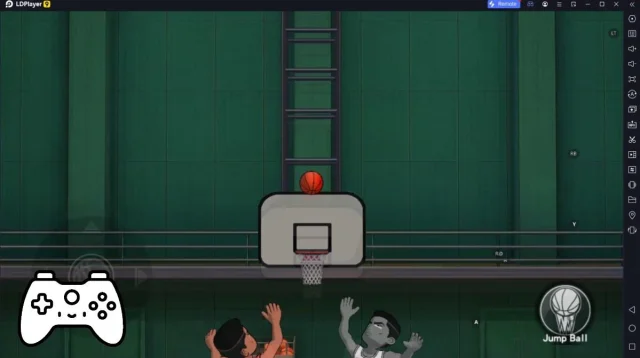
Emulate a more realistic driving experience in Cricket Live TV HD Streaming, allowing for full freedom of movement for your hero. This enhances comfort, precision, and flexibility in controls, empowering players to better control their vehicles and win races.

  • Large Screen

    Offering a high-definition experience for Cricket Live TV HD Streaming on a large screen, animations and images are smoother, allowing for more comfortable content browsing and video watching.
  • Extended Battery Life

    When running Cricket Live TV HD Streaming on your computer, you need not worry about low battery or device overheating issues. Enjoy playing for as long as you desire.

How to Download&Play Cricket Live TV HD Streaming on PC?

  • 1

    Download and install LDPlayer on your computer

  • 2

    Locate the Play Store in LDPlayer's system apps, launch it, and sign in to your Google account

  • 3

    Enter "Cricket Live TV HD Streaming" into the search bar and search for it

  • 4

    Choose and install Cricket Live TV HD Streaming from the search results

  • 5

    Once the download and installation are complete, return to the LDPlayer home screen

  • 6

    Click on the game icon on the LDPlayer home screen to start enjoying the exciting game